Nowe zmiany w ootake autorstwa Kitao Nakamury. Świetnym emulatorze jednej z najfajniejszej konsoli PCEngine/Turbographx.
Ootake śmiało można porównywać do komercyjnego i staruteńkiego już w chwili obecnej MagicEngine, który do tej pory kosztuje od 15 euro do 22.
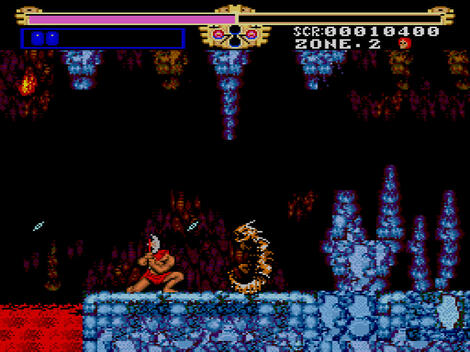
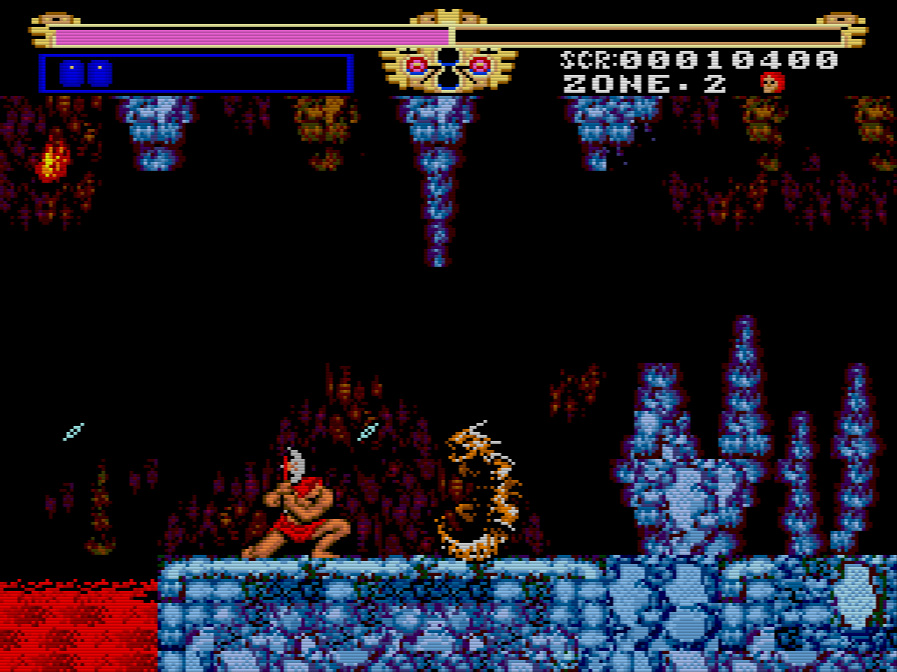
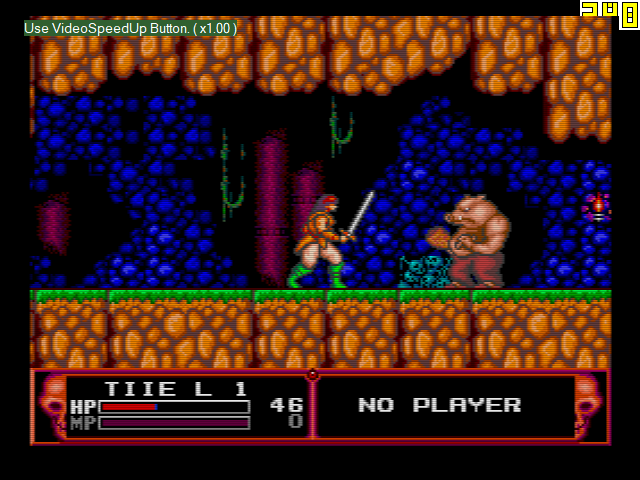
The Legendary Axe
Ootake 2.78 2016/04/29
- Image quality setting of "Screen -> Mode" menu has been added(changed) some quality selection. Along with this, "TV Mode (Ctrl + F11)" menu and "Setting -> Screen -> Setting Direct3D" menu has been removed.
- The following is a picture quality that can be selected.
- Special Scanlined The scanning line is put in the screen on lengthwise and crosswise. Neither burr (jaggy) nor scumble stands out when the screen is expanded. It is easy to see the string and the character.
- TV Scanlined The horizontal scanning lines are put on the screen. And a few shadeing off is put. As a result, the atmosphere of a real machine that outputs the video to the television is reproduced. - Processing lightens because the enlargement processing is done with hardware. It is likely not to be reproduced well according to the kind of the video card.
- Horizontal
- Scanlined The horizontal scanning lines are put on the screen. Horizontal This is a sharp screen than "Horizontal Scanlined".
- Scanlined 2 Jagged exists. Horizontal This is a sharp screen than "Horizontal Scanlined 2".
- Scanlined 3 Jagged exists. Horizontal This is the mode for speed priority. It is a sharp
- Scanlined F screen, but the jagged exists. - Processing lightens because the enlargement processing is done with hardware.
- Non-Scanlined This is a screen display that doesn't put the scanning line.
- Non-Scanlined 2 This is a sharp screen than "Non-Scanlined".
- Non-Scanlined TV This is a smooth screen than "Non-Scanlined".
- Additionally, a detailed part has been improved and corrected.
Ootake 2.77 2016/03/01
- The "Option" button on the startup screen has been changed to the "Setting" button. With "Setting" button, you can do basic(important) settings. In these settings, I think the "Function Button (auto-fire, audio volume control setting, etc.)" and the "Resume Mode (auto save state and each game settings) are very convenient.
- If the "Function Button" is set to the same place as the PCE button(I,II, RUN, SELECT), the operation of the PCE button takes precedence.
- At the time of the state save and load, "elapsed time from the start of the game" will be displayed.
- In "Dead of the Brain 1&2", the problem that the display of the message is disturbed, has been corrected.
- In the curb brawl of "FirePro Jyoshi - Dome ChoujouKessen", the display at the top of the screen line, has been corrected.
- With Windows8/10, the Full-screen mode is set to default. Because, there is a large display delay at the window mode of Windows8/10.
- At the Full-screen mode, when performing the volume settings and save state, it is smooth the display of the screen message.
- At the Full-screen mode, improved "white screen display at the time of game start-up".
- Additionally, a detailed part has been improved and corrected.
2021/05/30 Ootake 3.04 released
- The development environment of Ootake has been changed from "Visual Studio 2019" to "Visual Studio 2022". Along with this, even if you build(compile) with "Optimization ON", it will no longer be falsely detected by some antivirus software, so build with "Optimization ON" for public files (Ootake.exe) is now done from this version. I think that there are more PCs that can operate comfortably without processing omissions even on older PCs than the version released with "Optimization OFF".
- The volume balance of the ADPCM sound source has been brought closer to that of the actual device.
- When playing "TATSUJIN" in the overscan area display ([F12] key) environment, the dust display at the top and bottom of the screen (it also exists with the actual machine) has been suppressed. The PC Engine version of "TATSUJIN" has a narrow screen, but the enemy bullets are fast, so I feel that it is too difficult for people to enjoy it unless the overscan area is displayed. In addition, if you select the difficulty level EASY with the trick of "RUN while pressing SELECT on the title screen", I think that those who like the great transplant "Kyukyoku Tiger" and "Super Raiden" will probably enjoy it just right. If you check the "CPU-> Perform Sprite Limit" menu, it will be reproduced in the same way as the actual machine (garbage will be displayed when restarting after being killed).
- The processing related to raster interrupts has been brought closer to the operation of the actual machine. The problem that the drawing on the screen was disturbed in the demo scene of "Sol Moonarge" (occurred from v2.81. It was not fixed in v3.03) has been solved.
- Fixed a bug (occurred from v2.96) that sometimes "a very old version state save file" could not be read correctly.
- Fixed a bug that the game screen sometimes went black when the resume was restored when the stretch screen mode was changed when using the resume save ("File-> Set Resume" menu).
- Other small parts have been corrected and improved.
2021/12/07 Ootake 3.03 released
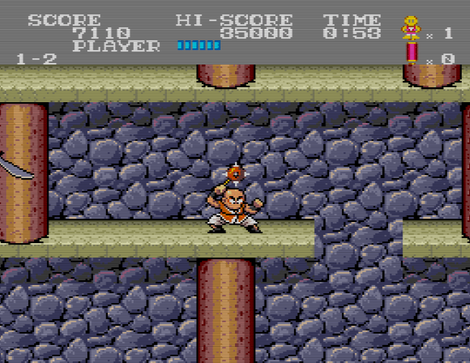
Tiger Road (NEC Technologies, Inc., 1990)
- Fixed a bug (Occurs in v3.02) that the game could not be started if the external CD-ROM drive was removed when playing a game with a full CD installation in the "CD-ROM->CD Install" menu.
- The sprite display processing has been brought closer to the operation of the actual machine. In the demo scene of "Dragon Slayer: The Legend of Heroes 2", the problem that the image was missing (occurred from the recent version) has been resolved.
- The processing related to raster interrupts has been brought closer to the operation of the actual machine. In the demo scene of "Sol Moonarge", the problem that the drawing on the screen was disturbed (occurred from v2.81) has been solved.
- Other minor parts have been corrected and improved.
OOtake 3.02 2021/06/21
- When playing "Wizardry III & IV (J)", the file name of the battery backup RAM will be the same as "Wizardry I & II (J)". The file name is [(CD)Wizardry I & II (J)_bram.dat]. You can share save characters between "I&II" and "III&IV". If you uncheck the "Setting-> Improve-> Shared bram (Wizardry 1&2 and 3&4)" menu, it will be saved(used) as a separate file.
- "Swap Wizardry 1&2 or 3&4 CD-ROM" has been added to the "CD-ROM-> CD Change (No Reset)" menu. If both "Wizardry 1&2" and "Wizardry 3&4" are CD-full-installed("CD-ROM-> CD Install" menu), you can switch the CD-ROM ( "Wiz1&2" or "Wiz3&4") to be inserted into the PC Engine. Execute this menu when the CD-ROM replacement message is displayed during the game.
- When the "Screen-> Mode-> for Video Caputure Mode" menu and the "Screen-> Mode-> for Video Caputure Mode Non-Scanlined" menu are selected, the image quality setting is such that the screen does not wavy.
- The sprite display processing has been brought closer to the operation of the actual machine. In the battle scene of "Burai 2", the problem that the effect display such as magic was missing half and was displayed (occurred from the recent version) has been solved.
- When playing "CD Battle Hikari no Yuushatachi (J)" with CD installation ( "CD-ROM-> CD Install" menu), insert the CD you want to battle and press the [F1] key once. After that, the CD replacement is automatically recognized without pressing the [F1] key.
- Fixed the bug that key input was not accepted when the controller setting window was canceled during setting.
- Other minor parts have been corrected and improved.
OOtake 3.01 2021/02/21
- "For Video Caputure Mode" has been added to the "Screen-> Mode" menu. You can switch the Ootake's window to 480p or 720p size for easy viewing with a single touch. If you capture with this sharp screen size when using video capture software, you can upload with high image quality when uploading to YouTube etc. In this mode, the "Screen-> Remove Lag 1F" menu setting is automatically disabled(0F), reducing the load when using the video capture software. If you want to prioritize input-lag measures, you can manually re-enable (the operation of the video capture software will be considerably slower) it. It can also be used in full screen mode. 1080p can also be selected in full screen.
- Fixed a bug that Ootake does not recognize when connecting an XInput compatible game controller due to the PC environment (when a connecting driver for the PS4 controller was installed, a pad that can be used by switching between XInput and DirectInput, etc.).
- If you change the connection of a game controller such as USB while Ootake is running, Ootake will recognize the change immediately.
- In window mode, when switching the overscan area display of the screen with the [F11] key or [F12] key, the sound that continued to sound during screen switching was temporarily muted so that it can be switched comfortably.
- The width of the window size has been changed from a multiple of 299 to a multiple of 298. When capturing and encoding video, you can encode while maintaining the image quality. By the way, depending on the PC environment and capture software, Ootake's operation may be heavy and processing may drop. In that case, if you select the "Screen-> Mode-> for Video Capture Mode" menu, the processing will be lighter and you will be able to capture smoothly.
- The operation speed and timing have been brought closer to the operation of the actual machine. In the stage 2 of "Parodius Da!", the problem that the clown's position flickers one line at the bottom of the screen ( occurred from recent versions) has been resolved. In "The Tower of Druaga", the problem that some parts of BGM started to sound late has been solved on the hint screen of Ishtar of "After clearing the stage".
- Improved so that the processing does not become heavy even in "games with many readings of the state of the game pad" such as "Space Harrier".
- The "Screen-> Remove Lag Max 3F" menu has little effect on Windows 10, and even before Win8, this menu(3F) is no longer necessary by setting the driver (rendering frame buffer is 1), so 3F menu was abolished (because processing becomes heavy if it is set to 3F).
- At Ootake v2.99, in "Tokimeki Memorial", when the sprite missing display setting (CPU-> Perform SpriteLimit) is turned on or the overscan area is displayed ([F12] key), dust that is sometimes displayed on the left and right edges of the screen (probably used as a data area) was not accurate. This time, it became the same as the actual machine.
- "Customize bram & mb128 Folder" has been added to the "File" menu. if you check "Same location as the save folder", the locations of "bram folder ( for saving backup save files)" and "mb128 folder (for saving MB128 save files)" is set inside the "save" folder. Place the "save" folder on a network drive and use it when you want to share save data with multiple PCs.
- Other minor parts have been corrected and improved.
- * Ootake's C++ optimization option of the development software Visual Studio 2019 has been changed to "less optimized build" so that it will not be falsely detected by antivirus software. This C++ optimization option is ON by default in VS2019. Other than corporate-signed software, many recently made C++ online software is probably falsely detected. In fact, we have confirmed that about 40% of antivirus software falsely detects viruses even in apps that display only "Hello World" in VS2019 C++. I would like to turn on the optimization option fully in order to reduce the load on the PC, but this time I am limiting the optimization to the point where it is not treated as a virus. However, especially on older PCs, there is a concern that performance will be degraded and 60 frames will not be displayed smoothly. In that case, in the next version, I will also revert to optimization full ON. (In this case, some software will treat it as a virus again, so it will be released after the author has a false positive verification by an antivirus software company, so the release will be delayed than usual.)
Ootake 3.00 2021/01/05
- When playing a game in Full-Screen on Windows10/8.1/8/7/Vista, fixed a bug that the dialog to open the ROM image file ([O] key or "File-> Open" menu) was not displayed. *This is the only change, so if you are using Windows XP, you can leave v2.99 as it is.
Ootake 2.99 2021/01/04
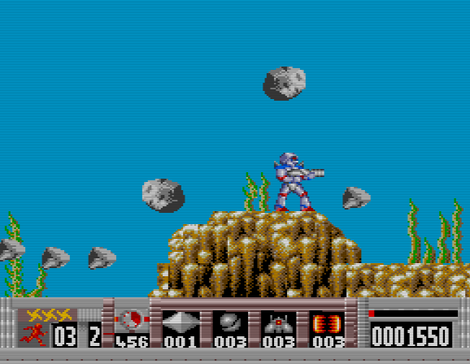
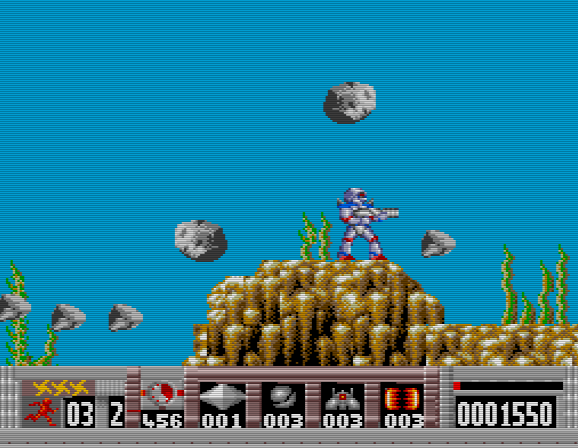
Turrican (Accolade, Inc., 1991)
- The screen display processing has been sped up. The number of models that can operate comfortably even on low-power PCs has increased.
- By the way, one note about the video card settings of the PC. If you set the G-SYNC function and FreeSync(Adaptive-Sync) function to "Enable in even Window mode" on a PC equipped with NVIDIA or AMD video chip, the operation of Ootake etc. may be slow down depending on the PC environment. (The default settings are fine).
If G-SYNC and FreeSync are set to "Enable even in Window mode", many games (such as games with fixed 60fps) will not work comfortably. Therefore, set "G-SYNC / FreeSync is disabled in Window mode (default is disabled)". I strongly recommend it.
- The volume balance of the CD sound source (CD-DA), ADPCM sound source, and wave memory sound source has been finely adjusted to bring it closer to the feeling of an actual machine.
- Fixed a bug that noise might appear on the CD sound source depending on the setting environment of "Audio->Adjust CD-DA(for Sync)".
- The default audio settings has been changed from "DirectSound (a vocalization method that has existed since the Windows 95 era)" to "XAudio2 (currently the mainstream vocalization method)". Depending on your PC environment and taste, "DirectSound" may be better, so please choose the one you like. In addition, XAudio2 can play the sound at a timing closer to the actual machine. (In "Audio" menu)
- The operation speed and timing have been brought closer to the operation of the actual machine. The problem that the screen was shaking when going up the stairs when clearing the stage of "Prince of Persia" (occurred in recent versions) has been solved.
- Fixed the sprite display processing part. Solved the problem that unnecessary sprites were sometimes displayed at the bottom of the screen when the 1st page boss of "Tiki Tiki Boys" appeared. Also, when your character overlaps the water areas on the 1st and 4-1 stages, the problem that your character did not hide has been resolved.
- When playing "Tiki Tiki Boys", the bottom two lines of the screen are automatically masked with a black belt. (As with the actual machine, the reason is that noise may be displayed.) * If you play in the mode to display the overscan area, this process will not be performed and the display will be the same as the actual machine (the bottom edge may be disturbed).
- In "Turrican", the problem that it is canceled in a few seconds when you pause during the game has been solved.
- When starting "The Addams Family", the screen display is shifted to the right by half a character. By doing this, the disturbance of the screen display on the right end (which also occurs on the actual machine) has been reduced. * Also, if you press the [F11] key and play in the display range of the old TV, the disturbance will disappear at all. * If you turn on the "Perform SpriteLimit" setting or play in the mode that displays the overscan area, this correction will not be performed and the display will be the same as the actual machine (with distortion at the right end).
- Due to certain settings (combination of "Audio Buffer Size" and "CD-DA Delay Frame", which will change the timing of access to the CD-ROM slightly), the "Snatcher" may freeze at the start. The problem that was there has been solved.
- Fixed a bug that the "CPU-> Swap STRIKE & BALL (for Baseball Games)" menu (baseball game count display replacement function) did not work in v2.98.
- In "Tokimeki Memorial", if you turn on the sprite missing display setting (CPU-> Perform SpriteLimit) or display the overscan area ([F12] key), dust that is sometimes displayed on the left and right edges of the screen on the actual machine (probably used as a data area) is displayed.
- When used on Windows 10/8/7/Vista, it is displayed in a new type file dialog (when opening a ROM image, etc.). This solves the problem that when the audio setting was set to "XAudio2", noise (remaining sound from the previous game play) might be heard when reopening the ROM image file.
- When moving the Ootake window, if the lower part of the game screen hangs on the taskbar area, the position is automatically corrected so that the lower part is just right and there is no gap.
- Since the official homepage site has been changed to SSL (HTTPS), the URL of each document has been changed from "http" to "https".
- When using XAudio2(Audio menu) on Windows XP, the problem (occurring from v2.82) that the operation when opening a file may become unusually heavy depending on the environment has been fixed.
- Other minor details have been fixed and improved.
Ootake 3.00 2021/01/05
- When playing a game in Full-Screen on Windows10/8.1/8/7/Vista, fixed a bug that the dialog to open the ROM image file ([O] key or "File-> Open" menu) was not displayed. *This is the only change, so if you are using Windows XP, you can leave v2.99 as it is.
Ootake 2.99 2021/01/04
Turrican (Accolade, Inc., 1991)
- The screen display processing has been sped up. The number of models that can operate comfortably even on low-power PCs has increased.
- By the way, one note about the video card settings of the PC. If you set the G-SYNC function and FreeSync(Adaptive-Sync) function to "Enable in even Window mode" on a PC equipped with NVIDIA or AMD video chip, the operation of Ootake etc. may be slow down depending on the PC environment. (The default settings are fine).
If G-SYNC and FreeSync are set to "Enable even in Window mode", many games (such as games with fixed 60fps) will not work comfortably. Therefore, set "G-SYNC / FreeSync is disabled in Window mode (default is disabled)". I strongly recommend it.
- The volume balance of the CD sound source (CD-DA), ADPCM sound source, and wave memory sound source has been finely adjusted to bring it closer to the feeling of an actual machine.
- Fixed a bug that noise might appear on the CD sound source depending on the setting environment of "Audio->Adjust CD-DA(for Sync)".
- The default audio settings has been changed from "DirectSound (a vocalization method that has existed since the Windows 95 era)" to "XAudio2 (currently the mainstream vocalization method)". Depending on your PC environment and taste, "DirectSound" may be better, so please choose the one you like. In addition, XAudio2 can play the sound at a timing closer to the actual machine. (In "Audio" menu)
- The operation speed and timing have been brought closer to the operation of the actual machine. The problem that the screen was shaking when going up the stairs when clearing the stage of "Prince of Persia" (occurred in recent versions) has been solved.
- Fixed the sprite display processing part. Solved the problem that unnecessary sprites were sometimes displayed at the bottom of the screen when the 1st page boss of "Tiki Tiki Boys" appeared. Also, when your character overlaps the water areas on the 1st and 4-1 stages, the problem that your character did not hide has been resolved.
- When playing "Tiki Tiki Boys", the bottom two lines of the screen are automatically masked with a black belt. (As with the actual machine, the reason is that noise may be displayed.) * If you play in the mode to display the overscan area, this process will not be performed and the display will be the same as the actual machine (the bottom edge may be disturbed).
- In "Turrican", the problem that it is canceled in a few seconds when you pause during the game has been solved.
- When starting "The Addams Family", the screen display is shifted to the right by half a character. By doing this, the disturbance of the screen display on the right end (which also occurs on the actual machine) has been reduced. * Also, if you press the [F11] key and play in the display range of the old TV, the disturbance will disappear at all. * If you turn on the "Perform SpriteLimit" setting or play in the mode that displays the overscan area, this correction will not be performed and the display will be the same as the actual machine (with distortion at the right end).
- Due to certain settings (combination of "Audio Buffer Size" and "CD-DA Delay Frame", which will change the timing of access to the CD-ROM slightly), the "Snatcher" may freeze at the start. The problem that was there has been solved.
- Fixed a bug that the "CPU-> Swap STRIKE & BALL (for Baseball Games)" menu (baseball game count display replacement function) did not work in v2.98.
- In "Tokimeki Memorial", if you turn on the sprite missing display setting (CPU-> Perform SpriteLimit) or display the overscan area ([F12] key), dust that is sometimes displayed on the left and right edges of the screen on the actual machine (probably used as a data area) is displayed.
- When used on Windows 10/8/7/Vista, it is displayed in a new type file dialog (when opening a ROM image, etc.). This solves the problem that when the audio setting was set to "XAudio2", noise (remaining sound from the previous game play) might be heard when reopening the ROM image file.
- When moving the Ootake window, if the lower part of the game screen hangs on the taskbar area, the position is automatically corrected so that the lower part is just right and there is no gap.
- Since the official homepage site has been changed to SSL (HTTPS), the URL of each document has been changed from "http" to "https".
- When using XAudio2(Audio menu) on Windows XP, the problem (occurring from v2.82) that the operation when opening a file may become unusually heavy depending on the environment has been fixed.
- Other minor details have been fixed and improved.
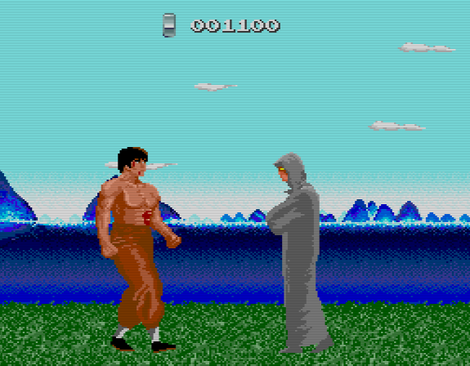
China Warrior (NEC Technologies, Inc., Oct, 1989)
2020/08/30 Oootake 2.98 PCE/Turbograpx16 Emulator
- Fixed the problem that the tempo of sound sometimes became fast for a few seconds immediately after opening a ROM image file when using the display refresh rate of 120Hz. - It supported the operation with the display setting of refresh rate 240Hz. If the display setting of the Windows desktop is set to 240Hz, Ootake will also automatically operate at 240Hz.
*) At window mode
- Operation at 240Hz significantly reduces the time it takes for the Windows desktop to refresh the screen (overlap the desktop with the screens of Ootake and other applications and draw at a non-flickering timing). Therefore, the operation delay when playing with Ootake is reduced and it is very close to the feeling of the actual machine.
- When using a 144Hz display, V-Sync does not work and the screen may wavy when scrolling, so I recommend setting to 120Hz and playing. - It also supports operation at refresh rates of 180Hz, 300Hz and 360Hz.
*) I haven't tested it because I don't have a display of 300Hz or higher, but I think it's ok. If you have any problems, please let me know.
- "Full Screen 180Hz" and "Full Screen 240Hz" were added to the "Screen -> FullScreen Customize" menu. By default, it switches to 60Hz in FullScreen. If you have a display of 120Hz or more, you can play with low latency by setting here. If you have a display of 300Hz or higher faster than 240Hz, select "Full Screen 240Hz" (Ootake is optimized for 240Hz operation, so 240Hz operation is the best operation).
- "MaxSize" was added to the "Screen" menu when playing in full screen. You can make the "game display screen" smaller even when playing in full screen. It can also be set by holding down [Alt] on the keyboard and pressing [1] to [5].
*) When playing close to the display (most PCs think so), I think it's often easier to play with a size smaller than the full size screen. This is because there is little movement of the field of view, and in the case of a retro game, the coarseness of expansion is not noticeable and the image quality is good.
*) In Windows 8 or later, full screen mode has about 1 frame less delay than window mode. Therefore, it is also recommended to play in full screen mode in shooting games. In addition, when playing on a liquid crystal display of 240Hz or higher, you can play with low latency close to full screen even in window mode.
- Full screen selection The default resolution has been adapted to recent PCs (wide display). [640x480, 800x600, 1024x768, 1366x768, 1920x1080, 1920x1200] - "Same Desktop (same resolution as the desktop)" has been added to the selected resolution of full screen.
*) Depending on the display, selecting the same resolution as the desktop (1920x1080 for a full HD LCD display) will reduce the display lag.
- The aspect ratio of the game screen has been finely adjusted to bring it closer to the actual ratio. Also, the aspect ratio of the window is kept at 4:3 even when the overscan area is displayed ([F12]key).
- Added the SELECT button auto-fire function ("Input -> TurboButton SELECT" menu).
- On the key config screen (black screen during key reception), described the precautions when connecting the game pad (when connecting the game pad, it is necessary to close this "black screen during key reception" once).
- The operation speed when accessing the video chip (VDC) has been made closer to the operation of the actual machine. The problem (occurred in recent versions) that the audience at the bottom edge was not displayed on the screen at the start of the "Wonder Momo" stage (purple curtain) has been resolved.
- The sprite display processing part has been made closer to the operation of the actual machine. The problem (generated from v2.92) that the background of the continue screen of "Dragon Slayer Eiyuu Densetsu" is disturbed has been resolved.
- Move the operation speed and timing closer to the actual operation. Solved the problem that raster processing was disturbed (occurred in recent versions) in the demo of "Spriggan mk2" when starting the 8th stage.
- When "Private Eyedol" is started with "no arcade card", there is a bug (planned to be fixed) that it will stop in the raft puzzle scene in the cave. So, Ootake will boot it with the arcade card (extended RAM) enabled.
- The ROM image file of the BIOS is the same (exactly the same) in both "Super System Card 3.0" and "Arcade Card Pro", so in Ootake the arcade card compatible software also works with the ROM image of "Super System Card 3.0". (Operates with virtual RAM)
- Fixed the horizontal display start position determination process of the screen. In "Shogi Shoshinsha Muyou", the problem that the game screen was shifted to the left was solved.
- Fixed a bug in which the system message displayed on the upper left of the Ootake screen might remain when playing a game using a horizontal 512 dot resolution.
- In a screen mode game such as "Tokimeki Memorial" in which the effective range of 348 dots is horizontal, if the left and right overscan areas are set to be displayed, the same color band as the actual machine is displayed (v2.91 Same processing as before).
- Solved the problem that the display at the bottom of the screen was sometimes distorted when the RUN button was pressed on the player count setting screen in "Downtown Nekketsu Monogatari". (In this scene, the CD access speed has been reduced to the level of the actual machine). - When the "PC Engine Mouse" is connected, Ootake is automatically paused when the focus of Windows shifts to another application. (To prevent the mouse cursor from getting lost)
- The default setting of the "Remove Lag" setting in the "Screen" menu (a function to skip the extra screen buffer and reduce the delay) has been changed to 1F(1 frame).
*) With the recent PC & driver, the same effect can be obtained with 1F without setting 3F. (And the processing does not become heavy)
- "Overscan Height 5dot" and "Overscan Height 3dot" have been added to the "Screen->Overscan Customize" menu.
- Other minor details have been fixed and improved.
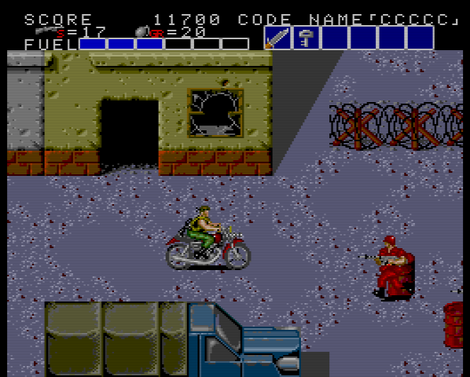
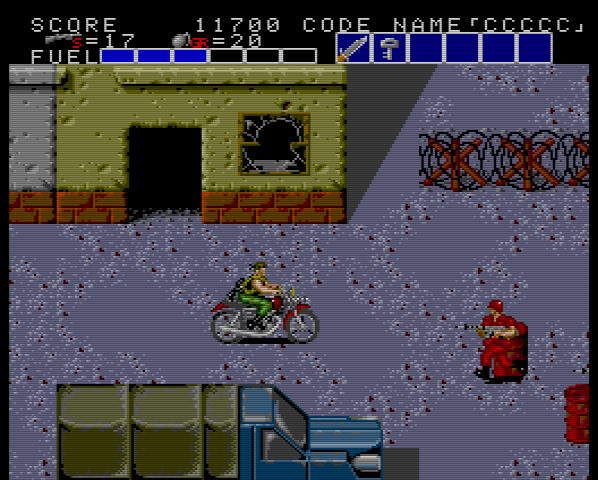
Bloody Wolf (NEC Technologies, Inc., 1990)
2020/03/21 2.97 released
- Solved the problem that when running Ootake v2.96 released yesterday on "Windows7", an error stating "The program could not be started because there is no XINPUT1_4.dll" appeared and could not be executed. (The XInput library used in Visual Studio 2019 has been changed to the "xinput9_1_0.lib" that can be used on Windows7). In addition, it corresponds to work on WindowsXP/Vista
2020/03/20 2.96 released
- This is a notice to those who have built and used the Ootake attached source code file. The version of "Visual Studio" in the development environment has been changed from 2008 to 2019(Community). The attached source project file is for 2019 and cannot be read in 2008. Microsoft's VS2019(Community version) can be used free of charge for personal development.
- "Start Adjust TV Top-Position" was added to "Setting->Screen" menu. You can set the default vertical display start position when using the old TV display mode ([F11]key, narrow range display). In addition, the default value was set to [Pos 1](lines for the upper one dot and the lower five dots are not displayed).
- When using the resume mode ("File->Set Resume" menu), the vertical display start position is saveed for each game, and it takes precedence.
- When pressing the shortcut key of "Screen size switch" during pause, the game will remain paused even after switching the screen.
- Fixed a bug that the buttons did not respond when connecting the second and subsequent joypads.
- After setting shortcut keys such as the fast-forward button ("Speed-> Configure VSpeedUp Bttuon" menu), the problem that the joypad operation was not accepted until Ootake was closed once and started up again was fixed.
- Speed and timing are closer to the actual machine. Solved the problem that the status display sometimes fluctuated in "Dungeon Explorer".
- Fixed a bug that Ootake stopped when the number of CD-ROM drives increased or decreased due to virtual CD software, etc.
- The screen fluctuates when pressing the [F11] key to enter overscan TV mode in "Ryuuko no Ken" (software that has low resolution at the top of the screen and high resolution at the bottom of the screen) was fixed.
- Other minor details have been fixed and improved.
2020/02/07 Ootake 2.95 released
- "Windows Pad Order" has been added to the pad setting screen. When connecting two or more Windows Gamepads, you can set which pad is assigned with the highest priority. Use this when the second and subsequent pads are connected, and the priority of the pad that was originally changed is lowered and the setting is shifted.
- "Overscan TV Mode" has been added to the "Screen" menu. Since v2.92, the aspect ratio is displayed more accurately, but black belts are displayed on the left and right in the 256 dot horizontal mode. When this menu is selected, the black belt display part can be eliminated and the left and right full window display (similar to Ootake before v2.91) can be made. However, 6 dots at the bottom of the screen are hidden to maintain the aspect ratio. Originally, "6 dots at the bottom of the PC Engine screen" is rarely used for important displays, and most games can be displayed without any problems. I think that many old CRT televisions for home use had a display in this range. Use it when you want to play in that atmosphere or when you want to capture with the left and right filled when capturing the screen. You can also switch this by pressing the [F11] key.
- "Adjust TV Top-Position" has been added to the "Screen" menu. In "Overscan TV Mode", you can adjust the vertical display start position. It can also be adjusted by pressing the [Ctrl]+[F11] keys multiple times.
- The shortcut key of the overscan area display was changed from [F11] key to [F12] key. [Ctrl]+[F12] key can also be used to display the overscan area of top only. * [F11] key switches overscan TV mode. * If you want to switch to full screen, press [Alt]+[Enter] key. Also, when displaying the overscan area, only the top and bottom areas are displayed by default.
- When pressing [F12] key while pressing [Ctrl] key, only the top part is displayed in the overscan area.
- "Start Overscan TV Mode" has been added to "Setting->Screen" menu. Use this mode when you want to switch to overscan TV mode (the viewing range is as narrow as an old home TV) from startup.
- Cleaned up the "Capture" menu. Also, screenshot size and drawing method are displayed in the menu.
- "Overscan display state" is not restored during normal state loading. It restores only when loading resume(Turn on the "File->Set Resume" menu).
- When switching overscan area display ([F11] key) in window mode, if the window is below the center of the desktop screen, the window position after switching is adjusted to the bottom side.
- In the audio graph display ([9],[0] keys), in some games, the yellow graph remained even when the DDA sampling sound was muted. This problem has been corrected.
- Fixed the problem that the pad was not reflected when changing the gamepad while Ootake was running when setting the gamepad.
- "1366x768" was added to the FullScreen resolution setting menu field.
- "FullScreen 640x480 60Hz" in the "Screen" menu (for switching to full screen mode with any PC environment) has been changed to "FullScreen 800x600 60Hz". Also, at the time of execution, the drawing method is returned to the default(Direct3D).
- When switching to full screen ([Alt]+[Enter] key), the screen is switched stably even in a PC environment where the available memory is low.
- Fixed a bug (from v2.92) that it display was shifted in a game that can play with 4-split display.
- The speed and timing have been made closer to those of the real machine. In "Chibi Maruko Chan", solved the problem that the display of the raster interrupt part was distorted when clearing the stage.
- Fixed a bug that recording of the play record function ( "Capture->Play Record" menu) was not performed correctly at some games.
- Other minor details have been fixed and improved.
2019/12/25 2.94 released
- "*About Windows Display-Lag" was added to "Screen" menu. Displays the Windows (video card control panel) setup method for "realizing low display-lag" with V-Sync. The following is the contents. Windows settings are required to run Ootake with the same operational feeling as a real machine. If the Windows graphic driver is set to perform vertical synchronization (V-Sync), it will interfere with the Game's V-Sync and cause "Display Lag". Right-click on an empty area of the desktop and open Settings (Control Panel) of the video chip maker(NVIDIA, AMD, Intel) and set "Vertical sync" in "3D(game) settings" to "Off".
These settings can be made for each game with NVIDIA and AMD. With GeForce, if Windows10/8, set "Low Latency Mode" to "Off" at the same time (necessary to reflect the vertical sync off). For Windows7(Non-Aero) and earlier, it is recommended to set "Low Latency Mode" to "Ultra" to further reduce the display lag. "Ultra" at "Low Latency Mode" is recommended for Win7(non-Aero). On the contrary, please pay attention that "Off" at "Low Latency Mode" is recommended for Win10/8 (in case of Ootake).
This situation may change depending on future driver updates.
- The program has been optimized so that even the "PC with power saving settings" will not lose processing and will operate like a real machine.
- In addition, if you use "MSI AfterBurner (video card utility software)" which is considered to be used by a large number of users, if power saving is set, processing will periodically drop and Ootake is not working smoothly (The same problem exists for games with a low GPU load other than Ootake).
- In the case of using AfterBurner or in a PC environment where the processing drops even with v2.94 this time, set the power saving setting in the control panel of the video card driver (for GeForce "Manage 3D Settings"->"Power management mode"), try setting to not save power ( "Prefer maximum performance"). By the way, AfterBurner's similar software "ASUS GPU Tweak II" works comfortably without the Ootake processing drop even if the PC was set to power saving (With even MSI's video card works well).
- Made the gamepad settings easier. Directional pad is common setting for all 2-button, 3-button and 6-button pad settings, and only button setting is set for 2-button, 3-button and 6-button pad respectively.
- Corrected left and right black belt processing in horizontal 352 dot mode. In the scene of "Ijuin appearance" of "Tokimeki Memorial", the problem that white flash processing was spread too much was solved.
- When "R-TYPE Complete CD" is played so that flickering of sprites is not reproduced (default), the black band display on the left and right sides of the screen is visible without being hidden (similar to the HuCard version). In addition, "R-TYPE (U)" has been operated in the same way ( I had an overseas person check the operation. Thank you).
- Added "FullScreen 240Hz" to the "Screen->FullScreen Customize" menu.
- Added (Revived) "DirectDraw (Old)" to the "Setting-> Screen" menu. Drawing with DirectDraw was deleted in v2.92, but this time it has been restored. Although it is an old drawing method for PC of the age of Windows95, it is still useful when using "low resolution full screen". Use it when you want to display dot-by-dot with cathode ray tub (CRT). In addition, when drawing DirectDraw, the display of "Sound Graph (Info-> Show Audio Channel Graph)" and "x5 times display" added in v2.92 are not supported. With DirectDraw, even when new functions are added in the future, new functions are probably not supported due to development time.
- When resume loading each game, "Window non-stretch setting at the last play" is also restored. Basically, most games are well made to the 4:3 ratio, so it's not recommended unless personally enough, but if you have a game that is easier to play with dot-by-dot, use it Please do it.
- When overscan area display switching (F11 key) is performed in the window mode, centered the window (center position adjustment) for both horizontal and vertical.
- When switching from full-screen display to window display, if the resolution setting for full-screen display was set low (default), fixed a bug that reduced the size of the window display.
- Fixed a problem that V-Sync was not perfect and tearing occurred depending on some PC environment when playing in the "x4" window size.
- Other minor details have been fixed and improved.
2019/11/26 2.93 released
- Fixed sprite display processing bug. In "Ys III", fixed a bug that the start screen was missing.
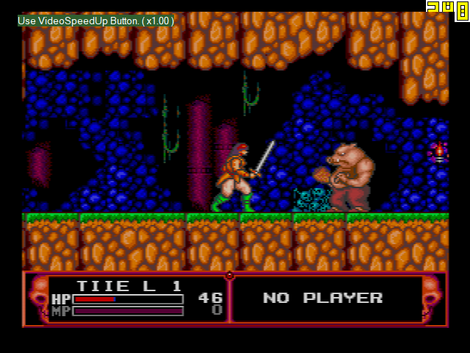
Cadash (Working Designs, 1991)
2019/11/24 2.92 released
- Added "Show Audio Channel Graph" to "Info" menu. During game play Sound Volume Graph of each channel (6 channels + ADPCM + CDDA) can be displayed.
- Green graph ... Wave Memory sound
- Pink graph ... Noise sound
- Yellow graph ... DDA Sampling sound
- Orange graph ... LFO Modulation sound
- White (2nd right) ... ADPCM (CD Game only)
- Purple (1st right) ... CD-DA (CD Game only)
- A channel whose graphs are "divided into left and right halves" is a channel that is playing with Stereo Sound.
- You can also switch the display position and hide it by pressing [9] and [0] (numeric keypad is disabled) on the keyboard.
- Fixed the processing timing of the built-in sound source (wave memory sound source). In "Xevious", an issue that sometimes caused the number of sounds to be low (occurred from recent versions) has been resolved. Also, I think that the tone has approached that of a real machine.
- Added "Size x5" to the "Screen" menu. * The enlargement process is heavy on older PC. In that case, please use full screen mode without overdoing it. By the way, when the distance to the display is short, "Size x3" size is more beautiful and still fits in the field of view, so it is recommended to play comfortably. "Size x5" is useful for small displays such as small 4K displays and when you want to play a little away from the display.
- Added "TV Scanlined 2 (Blur, Fast)" and "Non-Scanlined TV 2 (Blur for x4x5)" to the "Screen-> Mode" menu. If you are using a large window size or full screen, you can play on a large blurred screen if you use these at full HD or higher resolution. I think that this large blur is effective when playing on large LCD TV.
- Fixed an issue that the aspect ratio of the game screen display was slightly incorrect.
- The speed and timing were brought closer to a real machine. In "Quiz Tonosama no Yabou", resolved an issue (occurred from v2.51) that caused the screen to shake at the start of the quiz questions. In "Star Parodia", resolved an issue where the display of the rainbow scene before the first boss was a bit confusing (occurred from recent versions).
- When using in a multi-display environment, coordinate correction processing is no longer performed even when the Ootake's window protrudes from the screen.
- With some PC environments, in full screen mode, fixed an issue that caused V-Sync to not synchronize well and left tearing at the top of the screen. If this doesn't work, try unchecking the "Screen -> V-Sync -> V-Sync Timing Adjust" menu.
- Organized the contents of "Audio" menu and "Setting->Audio" menu. The audio buffer amount is indicated in frame time units.
- Removed "Direct Draw" setting in "Setting->Screen" menu. From this version, only Direct3D drawing is supported.
- The Aero function is automatically turned off (display delay is reduced) when used with Windows7. In addition, the "Screen->Disable Aero" menu deleted in v2.88 has been restored.
- Fixed a bug that the tempo of the sound may not be stable for about the first second immediately after opening the game ROM image file with some PC environments.
- Fixed a bug that the game name was not displayed correctly when "&" was entered in the game name at the "Recent" menu.
- Other minor details have been modified and improved.
![[PCE] Ootake 2.78](www/picphoto/55a85f971.jpg)


 PC Engine/Turbograpx 16 emulator