ZEsarUX to multiemulator maszynek ze stajni Sir Clive'a - znajdziemy w nim praktycznie wszystkie modele począwszy od ZX80, przez tradycyjne modele Spektrusia, łącznie z tymi, które pojawiły się już z logiem Amstrada, aż po egzotyczny Z88 Cambridge, gdyby nie brak QL można by było powiedzieć, iż emuluje on wszystko z tej rodziny. Obecnie udaje również maszynkę Sam Coupe, czy też CPC464 (o innych egzotykach nie wspomnę, jak np. w tej wersji dodanej emulacji CPC4128, czyli CPC464 + 128kb). W tej edycji oprócz wspomnianego już 4128, pojawia się również emulacja Dandatora - czyli uniwersalnego carta dla CPC.
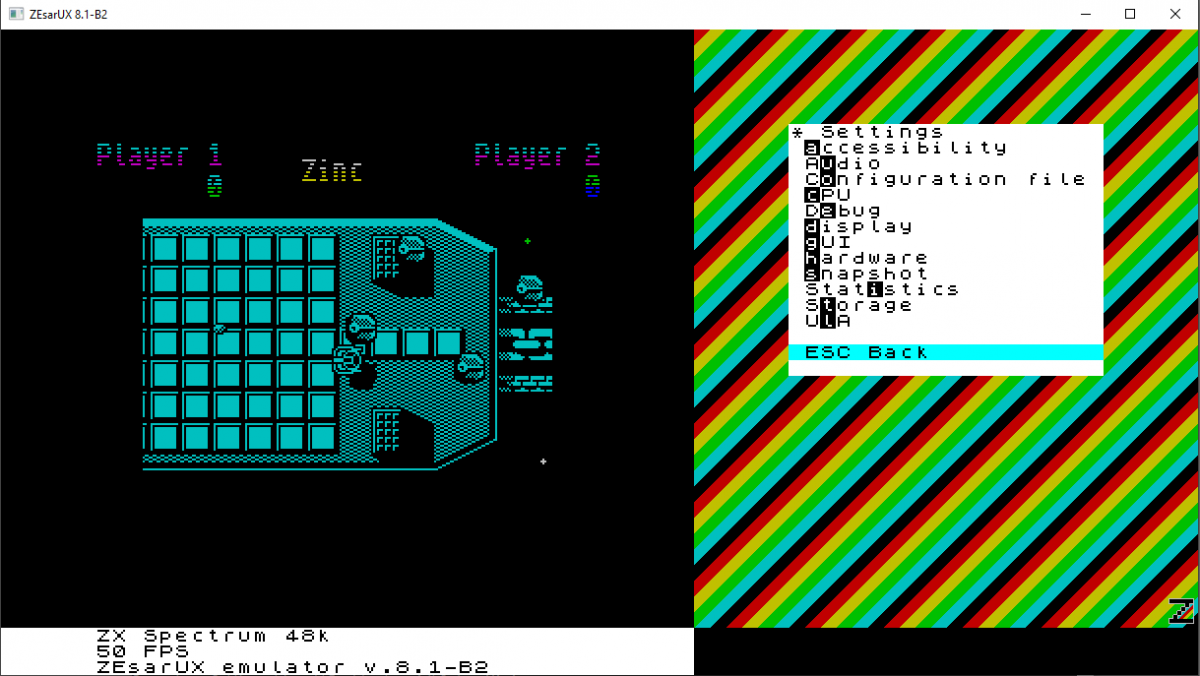
Nowa wersja testowa oprócz sporej ilości zmian i modyfikacji, pozwala na grę poprzez sieć czy to lokalną, czy też poprzez Internet.
Ostatnia pełna wersja tego multiemulatora sprzętu z Z80 na pokładzie to ZEsarUX 9.0 - Turbo Esprit edition 17/08/2020
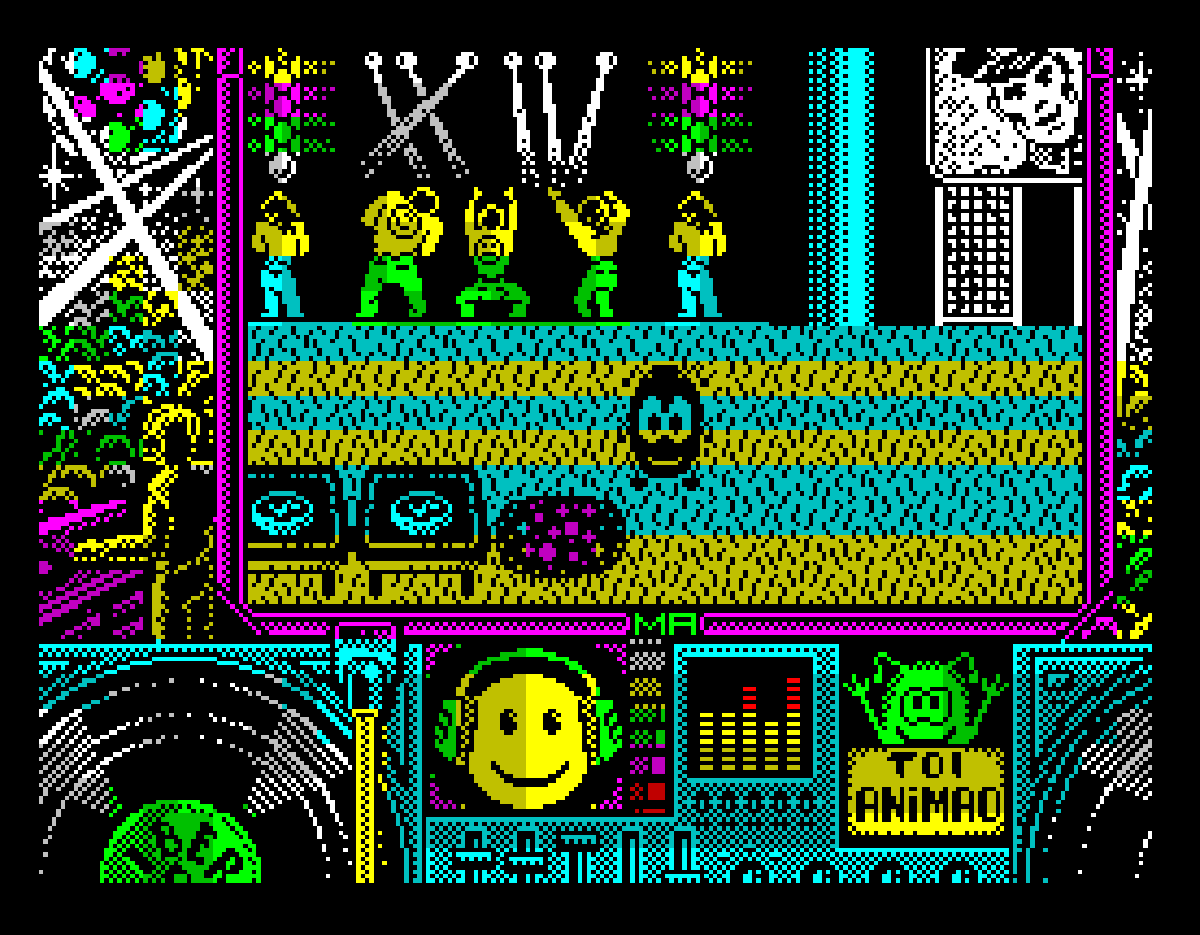
Toi Acid Game (Iber Soft, 1989)
Version 9.1 - Beta 1 - Toi Acid Game edition. 05 November 2020
- Added compile setting to disable networking functions
- Added pc speaker audio driver (for Linux only)
- Added date & time field info to ZSF snapshots
- Added F-key function to show windows in background without having to open the menu
- Added configuration & command line setting to save keymap type
- Added SNA to SCR file converter
- Added SP to SCR file converter
- Added Z80 to SCR file converter
- Added P to SCR file converter
- Added ZSF to SCR file converter
- Added debug console as a menu window
- Added ZRCP commands:
- qdos-get-open-files: to get open files from QL QDOS
- Improved ZX Desktop:
- Added direct buttons, to access menu items
- Added devices buttons/icons, to show device activity and device configuration
- Reordered menu items
- Windows are not closed when changing ZX Desktop size
- Added new ZX Desktop fill types: RainbowAlive, Chess, Grid, Random
- Improved input number windows: added buttons to increase/decrease values
- Improved loading .pok files: increased maximum pokes from 100 to 49152 pokes
- Improved 1 bit resample audio filter
- Improved ZRCP: Added MMU information to cpu-history command
- Improved TBBlue emulation:
- Added emulation of tbblue joystick type (register 5)
- Added sprite zoom emulation
- Added relative sprites emulation
- Added sprite clipping emulation
- Improved File Browser: added previews for screens (on .scr, .tap, .tzx, .pzx, .trd, .dsk, .sna, .sp, .z80, .p, .zsf)
- Improved QL emulation:
- Added sound emulation
- Guessing of file name extension
- Show all registers on Debug CPU window
- Support ZSF snapshot
- Fixed QL bugs:
- Fixed loading QL Superbasic programs when line lenght usually longer than 128 bytes
- Fixed loading executable files
- Fixed using QL system calls and A6 pointer offset used after previous Trap was not 4
- Fixed frame interrupt
- Fixed system call FS.SAVE
- Fixed system call FS.HEADS
- Fixed system call FS.HEADR
- Fixed system call IO.FSTRG
- Fixed system call IO.EDLIN
- Fixed system call IO.FCLOSE
- Fixed system call IO.DELET
- Fixed possible hang calling IO.SSTRG
- Fixed cursor flashing
- Fixed RTC emulation
- Fixed reading keyboard when menu open
- Fixed reading keys on SDL and X11 drivers with default keymap and machines QL, MSX and Spectravideo
- Fixed restoring machine to msx, coleco, sg1000 and svi
- Fixed showing last core frame time in Core Statistics window
- Fixed segfaults when changing machines and having ZX Desktop windows opened
- Fixed easter egg and cyrillic characters
- Fixed segfaults when initializing audio and video drivers
- Fixed rendering ZX Desktop on startup
- Fixed arranging ZX Vision windows when changing machine or disabling border
- Fixed panic screen extracting tap when invalid block
- Fixed open error when extracting tap with Spectrum names with '/'
→ NOWSZY [zx] ZEsarUX 12.1 Release Candidate Night Shift edition 28/08/2025
ZEsarUX 12.1 Release Candidate Night Shift edition 28/08/2025
New things added:
- Added Streaming mode to ZENG Online for ZX Spectrum. It improves gaming experience: reduces lag and drops all game state inconsistencies between all players
- Added ZXMMC+ emulation
- Added second MMC/SD card emulation
- Added support for steering wheel joystick (and other analog joystick controls) to racing games (using pre-defined modification for specific games or custom)
- Added conversion of ZX81 files P to P81, and P81 to P
- Allow to LOAD "name" of a ZX81 .P81 file
- Added real joystick support for SDL2
- Added direct functions to increase/decrease/silence Audio Volume
- Allow to save ZX80/81 screen to .scr file
- Allow to save text note on a ZSF snapshot
- Allow to locate rom files running ZEsarUX from a current folder different than the rom path
- Allow machine selection by family type (Spectrum, ZX80, ZX81, CPC, etc)
- Added .ay file support to File Viewer
- Added GENS file support to File Viewer
- Allow to change configuration file path from the menu
- Allow to view expanded file from Storage submenus (tape, dsk, etc)
- Allow to view GO SUB Basic stack
- Added configuration wizard when running ZEsarUX for the first time
- Added support for up to 4 joystick fire buttons on:
- Kempston joystick (Spectrum): 4 buttons
- Amstrad CPC: 3 buttons
- Master System, SG1000, Colecovision: 2 buttons
Improvements:
- Improved AY Player:
- Allow to load playlist
- Allow to save playlist (full playlist or just marked files)
- Allow to increase track length (for some tracks with incorrect length)
- Added direct functions to next/previous track/file
- Show tenths of a second on song length and time elapsed
- Better shuffle algorithm
- Fixed silence detection when playback paused
- Tell if no song is playing
- Improved Sinclair QL emulation:
- Allow to increase RAM size
- Allow to load and save QL screen files
- Added QL Screen file previews on File Selector
- Allow to use win1_ device as an alias to mdv1_ (useful for QL-SD paths)
- Fixed Sinclair QL keyboard: allow fast text writing
- Allow display blanking
- Improved ZX Vision:
- Allow to hide minimized windows
- Allow to place windows beyond ZEsarUX main window limits
- Do not reopen menu when closing a Window
- Allow fast text writing on input fields
- Show, with a dot, when an icon is an open window but minimized
- Keep ZEsarUX window size proportions (disallow different zoom x/y) by default
- Hide cursor when sending a window to background
- Allow to show short text for icons on ZX Desktop
- Preserve icon name when changing its type
- Changed charset for style ZEsarUX Plus: now uses the same as AtariTOS, it's a charset with better readability
- Added rzx files support for file selector: can be expanded (to z80 snap file), show file previews, convert to SCR, convert to Z80, use as ZX Desktop background
- Fixed glitch duplicating Main Menu when pressing F6 on Main Menu
- Improved Debug CPU:
- Allow to see and go to previous address of an opcode in cpu history
- Show port number when port read opcode (IN, INI, etc). Show keyboard row when port is XXFEH on Spectrum
- Show view number inside the window and not in the window title
- Added pass count to breakpoints (a breakpoint that is triggered when the condition is hit a certain times)
- Improved edit breakpoint window
- Added option to enable/disable all breakpoints
- Fixed moving cursor up when address near 0
- Watches can show results in hexadecimal or decimal
- Allow to set labels in Watches
- Improve Memory Cheat:
- Allow to set initial address
- Can delete watches
- Improve window layout
- Improved ZRCP:
- Allow to set Linemode Telnet (char mode): allow cursor up, backspace, tab, ctrl-c, ctrl-d
- Better CR+LF handling
- Added commands: cd, pwd
- Improved External Audio Source window:
- Show frequency when detected pilot tone or bits 0/1
- Show approximate bytes read
- Show average frequency when unknown signal
- Allow to enable input from this window
- Improved View Basic window:
- Allow lines > 9999, useful for protected programs
-...
- Improved conversion audio to P/P81 ZX81 files: added alternative enhanced algorithm
- Improved Hexadecimal editor: follow expression is saved on configuration
- Improved maximum sent keys to ZENG/ZENG Online
- Improved Windows timing and any other system using SDL video driver. Now uses SDL Timing
- Improved Mac timing by using native timer
- Improved Watermark Logo: can be shown only when loading/saving, can change colors when loading/saving
- Improved Adventure Map showing enter and exit directions
- Improved File Selector: allow to use path to a FAT mounted image on all cases
- Improved Visual Cassette Tape window: support standard tape too
- Improved Custom rom setting adding a Reset machine option
- Improved DivMMC, DivIDE and ZXMMC emulation: allow to enable them even if no MMC/SD card or IDE inserted
Fixes:
- Fixed semaphore locking on Windows
- Fixed cpu usage calculation when footer is disabled
- Fixed setting esxdos handler root dir when loading a .nex file without path from command line
- Fixed bug restoring ZSF snapshot with DivIDE enabled
- Fixed segfault when pressing CTRL-C on console
- Fixed PCW palette colour changes
- Fixed Chloe keyboard: allow fast text writing
- Fixed toggle breakpoint on a position that already had a breakpoint when breakpoints were disabled
- Fixed smartloading a tape file when a dsk is inserted
- Fixed visual casette tape when inserting an unsupported tape
- Fixed write protect tab on visual hilow datadrive window
- Fixed File Selector column for "
- " text on folders with utf-8 characters
- Fixed separator menu item on stdout video driver
- Fixed showing minimum volume on External Audio Source window
ZEsarUX 12.1-Beta1 - Night Shift edition 17 July 2025
New things added:
- Added Streaming mode to ZENG Online for ZX Spectrum. It improves gaming experience: reduces lag and drops all game state inconsistencies between all players
- Added ZXMMC+ emulation
- Added second MMC/SD card emulation
- Added support for steering wheel joystick (and other analog joystick controls) to racing games (using pre-defined modification for specific games or custom)
- Added conversion of ZX81 files P to P81, and P81 to P
- Added direct functions to increase/decrease Audio Volume
- Allow to save ZX80/81 screen to .scr file
- Allow to save text note on a ZSF snapshot
- Allow to locate rom files running ZEsarUX from a current folder different than the rom path
- Allow machine selection by family type (Spectrum, ZX80, ZX81, CPC, etc)
- Added .ay file support to File Viewer
- Added configuration wizard when running ZEsarUX for the first time
- Added support for up to 4 joystick fire buttons on:
- Kempston joystick (Spectrum): 4 buttons
- Amstrad CPC: 3 buttons
- Master System, SG1000, Colecovision: 2 buttons
Improvements:
- Improved AY Player:
- Allow to load playlist
- Allow to save playlist (full playlist or just marked files)
- Allow to increase track length (for some tracks with incorrect length)
- Added direct functions to next/previous track/file
- Show tenths of a second on song length and time elapsed
- Better shuffle algorithm
- Fixed silence detection when playback paused
- Tell if no song is playing
- Improved Sinclair QL emulation:
- Allow to increase RAM size
- Allow to load and save QL screen files
- Added QL Screen file previews on File Selector
- Allow to use win1_ device as an alias to mdv1_ (useful for QL-SD paths)
- Fixed Sinclair QL keyboard: allow fast text writing
- Allow display blanking
- Improved ZX Vision:
- Allow to hide minimized windows
- Allow to place windows beyond ZEsarUX main window limits
- Do not reopen menu when closing a Window
- Allow fast text writing on input fields
- Show, with a dot, when an icon is an open window but minimized
- Keep ZEsarUX window size proportions (disallow different zoom x/y) by default
- Hide cursor when sending a window to background
- Allow to show short text for icons on ZX Desktop
- Preserve icon name when changing its type
- Added rzx files support for file selector: can be expanded (to z80 snap file), show file previews, convert to SCR, convert to Z80, use as ZX Desktop background
- Fixed glitch duplicating Main Menu when pressing F6 on Main Menu
- Improved Debug CPU:
- Allow to see and go to previous address of an opcode in cpu history
- Show port number when port read opcode (IN, INI, etc). Show keyboard row when port is XXFEH on Spectrum
- Show view number inside the window and not in the window title
- Added pass count to breakpoints (a breakpoint that is triggered when the condition is hit a certain times)
- Improved edit breakpoint window
- Added option to enable/disable all breakpoints
- Fixed moving cursor up when address near 0
- Improve Memory Cheat:
- Allow to set initial address
- Can delete watches
- Improve window layout
- Improve maximum sent keys to ZENG/ZENG Online
- Improved Windows timing and any other system using SDL video driver. Now uses SDL Timing
- Improved Mac timing by using native timer
- Improved Watermark Logo: can be shown only when loading/saving, can change colors when loading/saving
- Improved File Selector: allow to use path to a FAT mounted image on all cases
- Improved Visual Cassette Tape window: support standard tape too
- Improved Custom rom setting adding a Reset machine option
- Improved DivMMC, DivIDE and ZXMMC emulation: allow to enable them even if no MMC/SD card or IDE inserted
- Improved View Basic window: allow lines > 9999, useful for protected programs
Fixes:
- Fixed semaphore locking on Windows
- Fixed cpu usage calculation when footer is disabled
- Fixed setting esxdos handler root dir when loading a .nex file without path from command line
- Fixed bug restoring ZSF snapshot with DivIDE enabled
- Fixed segfault when pressing CTRL-C on console
- Fixed PCW palette colour changes
- Fixed Chloe keyboard: allow fast text writing
- Fixed toggle breakpoint on a position that already had a breakpoint when breakpoints were disabled
- Fixed smartloading a tape file when a dsk is inserted
- Fixed visual casette tape when inserting an unsupported tape
- Fixed write protect tab on visual hilow datadrive window
- Fixed File Selector column for "
- Fixed separator menu item on stdout video driver
" text on folders with utf-8 characters
→ NOWSZY [zx] ZEsarUX 12 Bubble Bobble edition 16/01/2025
ZEsarUX 12 - Bubble Bobble edition. 16 January 2025
New things added:
- Added ZX Microdrive emulation on ZX Spectrum: that includes:
- Standard MDR emulation. Allow to browse inside MDR files, see file map, fragmentation, rename files, sectors info, chkdsk and emulate bad sectors
- Raw microdrive emulation. Supporting other non-interface1 rom file formats, like extending microdrive space with Multiface 128 or CP/M for LEC memory. Allow to see microdrive raw map (gap zones, sync bytes, data) and have "real problems", like autogenerate bad sectors or stretching the microdrive when it's new.
- Simulate data sound on read and write
- Visual Microdrive: Allow to see a microdrive cartridge in action
- Added Visual Cassette Tape window
- Added LEC memory extension emulation
- Added machines Czerweny CZ 1000, CZ 1500, CZ 1000 Plus, CZ 1500 Plus, CZ 2000, CZ Spectrum, CZ Spectrum Plus
- Added Memory Cheat feature: useful to find counters of energy, bombs, ammo or any other cheat in a game
- Added Find text string on memory menu
- Added Quicksave screen function
- Added setting to disable persistent writes on Z88 Cards
- Added CPC Additional ROMS emulation
- Added setting "--simplemenus" to have a very simple main menu
Improvements:
- Allow save screen to bmp for most machines
- Allow hotswap to Pentagon and to Spectrum +3
- Allow hotswap from Spectrum 128 to Spectrum +3
- Allow to load .SP snapshots of 64kb (like Shadow of Unicorn)
- Improve Azimuth warning on External Audio Source Window
- Added SDHC cards addressing support
- Added Flash Color mode (128 colors)
- Allow to not save snapshot when exiting ZEsarUX
- Allow to load an additional config file .zesaruxdevrc
- Allow to define Left Alt, Left Ctrl, Left Shift or TAB as Joystick Fire action
- Allow to change current tape read position on Input Tape Viewer for .tap files
- Allow loading a 8kb rom in ZX80 (for example the ZX81 rom, like an upgraded ZX80 to ZX81)
- Allow magnify sprites on View Sprites
- Added Sphere Meter Type to View Sensors
- Improve compilation: settings --enable-memptr --enable-visualmem --enable-cpustats are enabled by default on ./configure
- Improved Inves Spectrum+ emulation: alert when a game may crash due to the Inves write-on-interrupt bug
- Improved Spectrum Z80 CPU emulation core: add wait state (needed to emulate microdrive)
- Improved PCW emulation: add mode 3 (360x256x16), allow videomode changes by i/o port
- Improved Sega Master System emulation: allow to swap controls player 1 <-> player 2
- Improved ZSF snapshot: save Datagear DMA state
- Improved ZX Recreated keyboard support: allow to use it also on menu
- Allow saving .Z80 TC2048, TC2068, TS2068 snapshots. Allow loading .Z80 TC2048, TC2068 snapshots
- Improved Spectrum Next emulation (the following allows, for example, run Atic Atac version for Next):
- Added Layer modes 6 and 7 (blend modes)
- Added stackless NMI
- Added DAC Channels A,B,C,D
- Allow tiles on RAM 7
- Improve display render when only ula enabled (6% less cpu on my computer)
- Fixed 128k/+2a/Pentagon timings
- Fixed DIVMMC mapping after RETN
- Fixed Copper timings
- Fixed esxdos handler call DISK_FILEMAP
- Fixed esxdos handler changing local directory when a .nex snapshot is loaded
- Fixed palette offset for layer 2
- Fixed ULA layer horizontal scroll
- Fixed sprite clipping on left and top border
- Fixed Tile wrapping at 16k/8k
- Fixed DMA burst mode when prescaler=0
- Fixed DMA Transfer restarting the byte count at the end of a transfer
- Fixed cpu speed when opening tape file
- Improved Hilow Datadrive emulation:
- Added Raw emulation, like the real device
- Allow ddh variable size (from 3 up to 256 sectors)
- Allow to format only one side on ddh files
- Allow to clear contents when formatting ("c/borrado" or "s/borrado") on ddh files
- Improved Debug:
- CPU history: allow to change memory pointer to the PC register show in history
- CPU history: allow to see full history
- Show when CPU is in wait state
- Dissassemble numeric parameters on Z80N (Z80 Spectrum Next) opcodes (NEXTREG NN,A, TEST N, etc)
- Added breakpoint action save-binary
- Allow to enable/disable breakpoint at an adress (not just enable/remove), using key 'L' uppercase. Disabled state is saved on configuration
- Added Symbol Table loading
- Improved Hexadecimal editor:
- Now the data is refreshed when the window has the focus too
- Now the memory pointer can follow an expression (CPU register for example)
- Improved ZX Vision:
- More GUI improvements following more guidelines from the (retro)-specification IBM CUA
- Menus show previous menus when selecting submenus
- When selecting ZX Vision Style, it is applied on moving cursor
- Improve cursor movement on menus when pressing PgDn/PgUp
- Allow keys Home/End on windows
- Added setting to allow use speccy keys for menu interaction: use keys 5678 as cursors, caps shift+space for ESC, caps shift+ctrl for TAB, caps shift+ctrl+m for Open Menu (F5)
- Video layers window can now be backgrounded
- Debug DMA window can now be backgrounded
- Warn on the resize mark when a window has to be enlarged (because there is text beyond current size)
- Allow a window to disable scroll actions
- Process switcher is located at bottom-left part of the display by default
- Now rainbow bars on windows title are visible on all GUI Styles when an error or splash message appears
- Added a direct function to open Breakpoints window
- Improved ZX Desktop:
- Allow to enable/disable upper and lower buttons independently
- Allow right click on the device icons located on the lower part of the ZX Desktop
Fixes:
- Fixed ZX Vision:
- Fixed right click on upper buttons when menu closed and no windows open
- Fixed alt key pressed when changing to another window by using alt-tab on xwindow, cocoa, sdl1 and sdl2 drivers
- Fixed recovering window position after restore/unminimize
- Fixed bug reopening menu when executing run command on debug cpu and --allow-background-windows setting was disabled
- Fixed text-to-speech on menu (bugs reading text on submenus and windows)
- Fixed left clicking on an icon when menu was open
- Fixed cpu+memory leak bug using Linux and Xwindow driver. This is a bug that has always existed (a "long life bug" XD)
- Fixed ZX81 Online browser
- Remove buffer full indicator when pressing shift+e on External Audio Source window
- Fixed TZX autoload as Real Tape on Spectrum +3
- Fixed inserting TZX file with invalid header type
- Fixed saving .scr screen when located on RAM 7
- Fixed esxdos handler call F_GETCWD when root directory (/)
- Fixed esxdos handler call F_GETCWD when directory does not exist
- Fixed hotswap ZX80 to ZX81, ZX81 to ZX80
- Fixed Amstrad CPC Scroll
- Fixed Cassette out sound: allow to hear it on computers: Jupiter Ace, CPC, MSX, Spectravideo
- Fixed memory map and behaviour on Jupiter Ace: now it's perfect and better than any other emulator
- Fixed loading .nex snapshots and Layer 2 not being initialized (fixes errors on Head Over Heels for Next, for example)
- Fixed loading .nex snapshots and MMU not managed correctly
- Fixed Search menu feature. Now it's enabled by default
- Fixed bug saving .ZSF Z88 snapshot when RAM or Memory Card block is not compressed
- Fixed showing footer message F5/Button menu
- Fixed MSX keyclick sound
- Fixed ZX-Uno write on addresses 0000h-3fffh when using Chloe MMU and segment is not ROM
* As always, there are some other minor bugfixes and improvements

→ NOWSZY [zx] ZEsarUX 11.1 Beta 2 Bubble Bobble edition 18/12/2024
ZEsarUX 11.1-Beta2 - Bubble Bobble edition. 18 November 2024
Improvements:
- Added SDHC cards addressing support
- Added Sphere Meter Type to View Sensors
- Improved Spectrum Next emulation:
- Added Layer modes 6 and 7 (blend modes)
- Added stackless NMI
- Added DAC Channels A,B,C,D
- Allow tiles on RAM 7
- Improve display render when only ula enabled (6% less cpu on my computer)
- Fixed 128k/+2a/Pentagon timings
- Fixed DIVMMC mapping after RETN
- Fixed Copper timings
- Fixed esxdos handler call DISK_FILEMAP
- Fixed esxdos handler changing local directory when a .nex snapshot is loaded
- Fixed palette offset for layer 2
- Fixed ULA layer horizontal scroll
- Fixed sprite clipping on left and top border
- Fixed Tile wrapping at 16k/8k
- Fixed DMA burst mode when prescaler=0
- Fixed DMA Transfer restarting the byte count at the end of a transfer
- Fixed cpu speed when opening tape file
- Improved Debug:
- Show when CPU is in wait state
- Dissassemble numeric parameters on Z80N (Z80 Spectrum Next) opcodes (NEXTREG NN,A, TEST N, etc)
- Allow to enable/disable breakpoint at an adress (not just enable/remove), using key 'L' uppercase. Disabled state is saved on configuration
- Improved ZX Vision:
- Allow keys Home/End on windows
- Video layers window can now be backgrounded
- Debug DMA window can now be backgrounded
- Now rainbow bars on windows title are visible on all GUI Styles when an error or splash message appears
- Added a direct function to open Breakpoints window
Fixes:
- Fixed right click on upper buttons when menu closed and no windows open
- Fixed esxdos handler call F_GETCWD when root directory (/)
- Fixed esxdos handler call F_GETCWD when directory does not exist
- Fixed Cassette out sound: allow to hear it on computers: Jupiter Ace, CPC, MSX, Spectravideo
- Fixed Search menu feature. Now it's enabled by default
- Fixed recovering window position after restore/unminimize
- Fixed MSX keyclick sound
- As always, there are some other minor bugfixes and improvements
→ NOWSZY [zx] ZEsarUX 11.1 Beta 1 Bubble Bobble edition 18/11/2024
ZEsarUX 11.1-Beta1 - Bubble Bobble edition. 15 November 2024
New things added:
- Added ZX Microdrive emulation on ZX Spectrum: that includes:
- Standard MDR emulation. Allow to browse inside MDR files, see file map, fragmentation, rename files, sectors info, chkdsk and emulate bad sectors
- Raw microdrive emulation. Supporting other non-interface1 rom file formats, like extending microdrive space with Multiface 128 or CP/M for LEC memory. Allow to see microdrive raw map (gap zones, sync bytes, data) and have "real problems", like autogenerate bad sectors or stretching the microdrive when it's new.
- Simulate data sound on read and write
- Visual Microdrive: Allow to see a microdrive cartridge in action
- Added Visual Cassette Tape window
- Added LEC memory extension emulation
- Added machines Czerweny CZ 1000, CZ 1500, CZ 1000 Plus, CZ 1500 Plus, CZ 2000, CZ Spectrum, CZ Spectrum Plus
- Added Memory Cheat feature: useful to find counters of energy, bombs, ammo or any other cheat in a game
- Added Find text string on memory menu
- Added Quicksave screen function
- Added setting to disable persistent writes on Z88 Cards
- Added CPC Additional ROMS emulation
Improvements:
- Allow save screen to bmp for most machines
- Allow hotswap to Pentagon and to Spectrum +3
- Allow hotswap from Spectrum 128 to Spectrum +3
- Allow to load .SP snapshots of 64kb (like Shadow of Unicorn)
- Improve Azimuth warning on External Audio Source Window
- Added Flash Color mode (128 colors)
- Allow to not save snapshot when exiting ZEsarUX
- Allow to load an additional config file .zesaruxdevrc
- Allow to define Left Alt, Left Ctrl, Left Shift or TAB as Joystick Fire action
- Allow to change current tape read position on Input Tape Viewer for .tap files
- Allow loading a 8kb rom in ZX80 (for example the ZX81 rom, like an upgraded ZX80 to ZX81)
- Allow magnify sprites on View Sprites
- Improve compilation: settings --enable-memptr --enable-visualmem --enable-cpustats are enabled by default on ./configure
- Improved Inves Spectrum+ emulation: alert when a game may crash due to the Inves write-on-interrupt bug
- Improved Jupiter Ace emulation: allow to hear MIC output
- Improved CPC emulation: allow to hear Cassete Out sound
- Improve Spectrum Z80 CPU emulation core: add wait state (needed to emulate microdrive)
- Improved Hilow Datadrive emulation:
- Added Raw emulation, like the real device
- Allow ddh variable size (from 3 up to 256 sectors)
- Allow to format only one side on ddh files
- Allow to clear contents when formatting ("c/borrado" or "s/borrado") on ddh files
- Improved Debug:
- CPU history: allow to change memory pointer to the PC register show in history
- Show when CPU is in wait state
- Added breakpoint action save-binary
- Added Symbol Table loading
- Improved Hexadecimal editor:
- Now the data is refreshed when the window has the focus too
- Now the memory pointer can follow a expression (CPU register for example)
- Improved ZX Vision:
- More GUI improvements following more guidelines from the (retro)-specification IBM CUA
- Menus show previous menus when selecting submenus
- When selecting ZX Vision Style, it is applied on moving cursor
- Improve cursor movement on menus when pressing PgDn/PgUp
- Warn on the resize mark when a window has to be enlarged (because there is text beyond current size)
- Allow a window to disable scroll actions
- Process switcher is located at bottom-left part of the display by default
- Improved ZX Desktop:
- Allow to enable/disable upper and lower buttons independently
- Allow right click on the device icons located on the lower part of the ZX Desktop
Fixes:
- Remove buffer full indicator when pressing shift+e on External Audio Source window
- Fixed alt key pressed when changing to another window by using alt-tab on xwindow, cocoa, sdl1 and sdl2 drivers
- Fixed TZX autoload as Real Tape on Spectrum +3
- Fixed hotswap ZX80 to ZX81, ZX81 to ZX80
- Fixed Amstrad CPC Scroll
- Fixed memory map and behaviour on Jupiter Ace: now it's perfect and better than any other emulator
- Fixed loading .nex snapshots and Layer 2 not being initialized (fixes errors on Head Over Heels for Next, for example)
- Fixed loading .nex snapshots and MMU not managed correctly
- Fixed Search menu feature
- Fixed bug saving .ZSF Z88 snapshot when RAM or Memory Card block is not compressed
- Fixed showing footer message F5/Button menu
- Fixed bug reopening menu when executing run command on debug cpu and --allow-background-windows setting was disabled
→ NOWSZY [zx] ZEsarUX 11.0 Beta 2 David edition 20(09??)/05/2024
Version 11.0-Beta2 - David edition. 20 May 2024
New things added:
- Added ZENG/ZENG Online support on all emulated machines
- Added support for ZX81 .P81 files
- Added save support for ZX80 & ZX81 .Z81 snapshots
- Added .zmenu type files to generate launcher menus
- Added more vintage Spectrum programs/games from me
- Added Debug Sensors SPK & MIC Bit from port FEH
- Added some tape copiers to Storage-> Tape menu
- Added setting for fast welcome message
- Added PCW Video mode 1 palette selector
Improvements:
- Allow to load Next .nex/.snx/.sna snapshots with additional files without having to copy them on the mmc file (it mounts automatically the esxdos handler)
- Allow to limit max cpu turbo on Next
- Allow to pause playing on AY Player
- Improved Keyboard Help: now you can press keys by clicking mouse
- Remember last path used on output tape
- Allow to load 48kB MSX cartridges
- Allow to load MSX cartridges with memory mapper Ascii 8kb, Ascii 16kb, Konami without SCC, Konami with SCC, R-Type
- Easier compilation on Haiku OS
- Improve Hexadecimal editor on ZX80 and ZX81: show inverse characters
Improved ZRCP:
- Added menu function to sync local snapshot to remote using ZRCP
- Added ZRCP commands: open-menu, print-error, get-text-overlay, cpu-history get extended
- Allow to use cpu-step-mode from ZRCP on drivers stdout and simpletext
- Support MMU restore state on ZRCP command "cpu-history restore" for Spectrum 128k/+2/+2a/+3
Improved QL emulation:
- Allow autoload when inserting QL mdv/flp
- Show 2 microdrive and 1 floppy icon on QL, instead of just one icon
- Allow to enable/disable every drive
Improved file selector:
- scrolling the current directory field if it does not fit on the window
- can change extension filter
- when saving files, cursor is located at the file field, and a file name is suggested
- file selection zone has a different color
- go up one directory when pressing left cursor key
Fixes:
- Fixed http redirections when downloading using the Speccy Online Browser
- Fixed bit 6 of FEH port depending on Issue2/3
- Fixed Sam Coupe FEH sound port when enabling Real Beeper
- Fixed segfault when trying to insert an unexistent Real Tape file
- Fixed segfault inserting a ZX81 Real Tape and opening Tape Viewer
Version 11.0-Beta1 - David edition. 26 February 2024
New things added:
- Added loading audio from external audio source, like a tape player
- Added ZENG Online feature, which allows to run multiplayer online game using a central server
- Added ZENG support on curses driver
- Added save screen to .txt file
- Added save screen to .stl file, useful to print on 3D Printer
- Added function to shift bits on Hex Editor
- Added TempleOS GUI Style
- Added QNX GUI Style
- Added menu function to sync local snapshot to remote using ZRCP
- Added ZRCP commands: open-menu, print-error
- Added setting to force CHR$ 128 mode on ZX81
- Added search function to locate menu entries
Improvements:
- Allow to not save configuration when exiting ZEsarUX
- Allow to select normal ZEsarUX logo or X Anniversary logo
- Allow to seng ZENG snapshots more frequently (even every 20 ms)
- Allow to use cpu-step-mode from ZRCP on drivers stdout and simpletext
- Allow autorewind setting for real tape too
- Allow to disable Spectrum colours on real video mode too
- Allow to press hotkeys at On Screen Keyboard
Improved ZX Vision:
- Changed left click mouse behaviour: when pressing left mouse button out of a window, it will close all menus.
If you need to keep menu open and set focus on emulated machine, just left click and also press shift key.
- Improve window title background when not all buttons are visible
- Improve clicking and drawing an always visible window
- Menus can no longer be minimized (that had no sense)
- Process switcher: unminimize windows when selecting them and they were minimized
- Process switcher: now it can be set to be always visible
- Process switcher: icon names are more descriptive
- Menu titles are translated to selected language (not everything yet, please be patient)
- Improve perspective for 3D Particles widget on View Sensors
Improved ZX Desktop:
- Allow to set parameters when redefining upper buttons, for some actions like openwindow or set machine
- Allow to reconfigure upper buttons by right clicking over them
- When defining upper buttons or f-functions to SetMachine, machine name parameter is set to current machine
- When creating new icon, upper buttons or f-functions of type OpenWindow, a window list is displayed to select
Fixes:
- Fixed ZX Vision:
- Fixed bug when printing on footer and column was out of bounds (exactly at column 32)
- Fixed splash texts when row > 23
- Fixed pressing keys '.' and ',' on menu when machine is ZX80 or ZX81
- Fixed glitch on ZX Vision BeOS style, when pressing F5, window buttons didn't disappear or reappear
- Fixed refresh windows after pressing F8 On Screen Keyboard
- Fixed splash messages when background windows are enabled
- Fixed initial position for many windows
- Fixed invalid Data Bus value on Jupiter Ace (it's 20H instead of FFH)
- Fixed blockage when drawing Text Adventure Map and corrupted GAC adventure
- Fixed timings of opcodes CP (HL), CP (IX+d), CP (IY+d)
- Fixed bug on ZRCP when handling simultaneous connections
- Fixed betadisk sector rollover reading/writing (thanks Mak7ym). Fixed loading for example of: BR_DEA7H, HOMER, PARADISE
→ NOWSZY [zx] ZEsarUX 11.0 Beta 1 David edition 26/02/2024
Version 11.0-Beta1 - David edition. 26 February 2024
New things added:
- Added loading audio from external audio source, like a tape player
- Added ZENG Online feature, which allows to run multiplayer online game using a central server
- Added ZENG support on curses driver
- Added save screen to .txt file
- Added save screen to .stl file, useful to print on 3D Printer
- Added function to shift bits on Hex Editor
- Added TempleOS GUI Style
- Added QNX GUI Style
- Added menu function to sync local snapshot to remote using ZRCP
- Added ZRCP commands: open-menu, print-error
- Added setting to force CHR$ 128 mode on ZX81
- Added search function to locate menu entries
Improvements:
- Allow to not save configuration when exiting ZEsarUX
- Allow to select normal ZEsarUX logo or X Anniversary logo
- Allow to seng ZENG snapshots more frequently (even every 20 ms)
- Allow to use cpu-step-mode from ZRCP on drivers stdout and simpletext
- Allow autorewind setting for real tape too
- Allow to disable Spectrum colours on real video mode too
- Allow to press hotkeys at On Screen Keyboard
Improved ZX Vision:
- Changed left click mouse behaviour: when pressing left mouse button out of a window, it will close all menus.
If you need to keep menu open and set focus on emulated machine, just left click and also press shift key.
- Improve window title background when not all buttons are visible
- Improve clicking and drawing an always visible window
- Menus can no longer be minimized (that had no sense)
- Process switcher: unminimize windows when selecting them and they were minimized
- Process switcher: now it can be set to be always visible
- Process switcher: icon names are more descriptive
- Menu titles are translated to selected language (not everything yet, please be patient)
- Improve perspective for 3D Particles widget on View Sensors
Improved ZX Desktop:
- Allow to set parameters when redefining upper buttons, for some actions like openwindow or set machine
- Allow to reconfigure upper buttons by right clicking over them
- When defining upper buttons or f-functions to SetMachine, machine name parameter is set to current machine
- When creating new icon, upper buttons or f-functions of type OpenWindow, a window list is displayed to select
Fixes:
- Fixed ZX Vision:
- Fixed bug when printing on footer and column was out of bounds (exactly at column 32)
- Fixed splash texts when row > 23
- Fixed pressing keys '.' and ',' on menu when machine is ZX80 or ZX81
- Fixed glitch on ZX Vision BeOS style, when pressing F5, window buttons didn't disappear or reappear
- Fixed refresh windows after pressing F8 On Screen Keyboard
- Fixed splash messages when background windows are enabled
- Fixed initial position for many windows
- Fixed invalid Data Bus value on Jupiter Ace (it's 20H instead of FFH)
- Fixed blockage when drawing Text Adventure Map and corrupted GAC adventure
- Fixed timings of opcodes CP (HL), CP (IX+d), CP (IY+d)
- Fixed bug on ZRCP when handling simultaneous connections
- Fixed betadisk sector rollover reading/writing (thanks Mak7ym). Fixed loading for example of: BR_DEA7H, HOMER, PARADISE
→ NOWSZY [zx] ZEsarUX 10.3 Beta 1 XXX edition 13/04/2023
Beta version has a lot of changes:
New things added:
- Added Machine Amstrad CPC 6128
- Added Machine Amstrad CPC 664
- Added Machine Amstrad PCW 8256
- Added Machine Amstrad PCW 8512
- Added Advanced menu items: now by default, advanced menu items are hidden, you should enable them on Settings->Advanced menu items
- Added Visual Floppy to see floppy disk (+3, CPC, PCW, Betadisk) activity
- Added Poke F-Function
- Added Visual Real Tape F-Function
- Added Process Switcher window, which is like a "Taskbar" on the ZX Desktop
- Added Settings F-Function
- Added DSK disk info menu: to get tracks and sectors of a disk
- Added ZRCP command: "close-all-menus"
- Added icon/F-key to open any window identified by its name
- Allow F-keys to assign extra info for actions (like window name on openwindow action, or snapshot name on linktosnapshot action)
- Added XEyes "Toy" to follow mouse
- Added more Hotswap combinations
- Added command line setting --machinelist to get machines list names whitespace separated
- Added Sierpinsky Meter Type to View Sensors
- Added .POK file Smartloading
- Added SDL Audio Callback type setting in order to fix Windows Audio clicking
Improvements:
- Improved Configuration:
- better parsing: warning when ZEsarUX has been downgraded
- if unknown parameter on configuration file, warn the user but start anyway
- moved showing Configuration file from Running info menu to Settings-> Configuration file
- Improved File selector:
- Can show recent folders (press space on recent files)
- Improved DSK viewer:
- better filesystem detection
- show hidden and read only files
- show disk specification format
- show where files are located on Visual Floppy
- Improved DSK extractor:
- better filesystem detection
- Improved Debug Console: better refresh, dynamic width?? (TODO)
- Improved Debug Messages: allow to filter by message class (DSK, PD765, etc...)
- Improved Debug I/O ports window: autoresize content height when do not fit in window
- Improved Debug CPU:
- switched function keys "m" and "o": now "x" change mode, and "m" change memptr (to be coherent with other similar windows)
- added (hl), (de), (bc)
- added (nn) when selecting an opcode like: ld reg,(nn) and ld (nn),reg
- added (ix+d), (iy+d) when selecting an opcode like: ld reg,(IX+d), etc
- added continuos speed 4 (run 10 opcodes every time, with no pause)
- show last memory pointer when changing it
- show B register on satisfy condition for DJNZ
- added new functions OPMRV(e), OPMWV(e), OPMRA(e), OPMWA(e): these return 1 if the last opcode has set any of these variables to e.
- added pseudoregister EPC to parser to match memory bank and offset for PC register
- allow holding keys for quick cursor move, etc
- watches now show numbers in hexadecimal format
- Improved View Sprites:
- sprite is no longer disabled when changing memory pointer
- you can view sprites up to 1024x1024
- show PCW common format screen
- Improved changing pointer on some windows: can use an expression when changing memory pointer on Debug CPU, View Sprites, Hexdump, Disassemble, Poke
- Improved changing to machines with big displays (Next, QL, CPC...): zoom is autochanged to 1
- Improved joystick type selection
- Improved ZX Desktop:
- Dynamic icons (Trash, My Machine, ...) assigned on top buttons now show dynamic state (trash empty/full, current machine image, etc)
- Show icon indicators for open apps on ZX Desktop
- Added setting to empty Trash on exit
- Fixed icons zoom level when selecting some machines that use menu gui zoom = 2 (Next, CPC, QL, etc)
- ZX Desktop size now is multiplied by GUI Zoom (Zoom 2 on machines like Next, CPC, QL, etc)
- CF2 Floppy icon (+3, CPC, PCW) now is animated when motor is on
- Improved ZX Vision:
- Added windows TaskBar
- Added Process ID (PID) for all windows
- Text input fields now handle repeated keys
- Some text input fields now have history of last items, and history is saved on configuration file
- Added function to maximize all windows
- Allow reducing character height
- Improve window list showing spent time on each window and pid of each window/process
- Improve rendering background windows
- Yes/no confirmation dialogs are translated to si/no in Spanish and Catalan
Fixes:
- Fixed random crash on startup on Linux when executing some network operations (check updates, check last users, send updates)
- Fixed segfaults when exiting using CTRL-C
- Fixed Spectrum +3 disk emulation: TODO: add more details here
- Fixed autoload on Spectrum +3
- Fixed bug that may crash ZEsarUX when changing to a machine with bigger resolution. It seems to affect Linux and Windows but not Mac. This is a bug that has always existed (a "long life bug" XD)
- Fixed showing creator on DSK file viewer
- Fixed pause: can now return when pressing mouse button too
- Fixed assembler parsing expressions (NN) and NN is an hexadecimal number
→ NOWSZY [zx][beta] ZEsarUX 10.2 RC3 Hysteria edition 7/10/2022
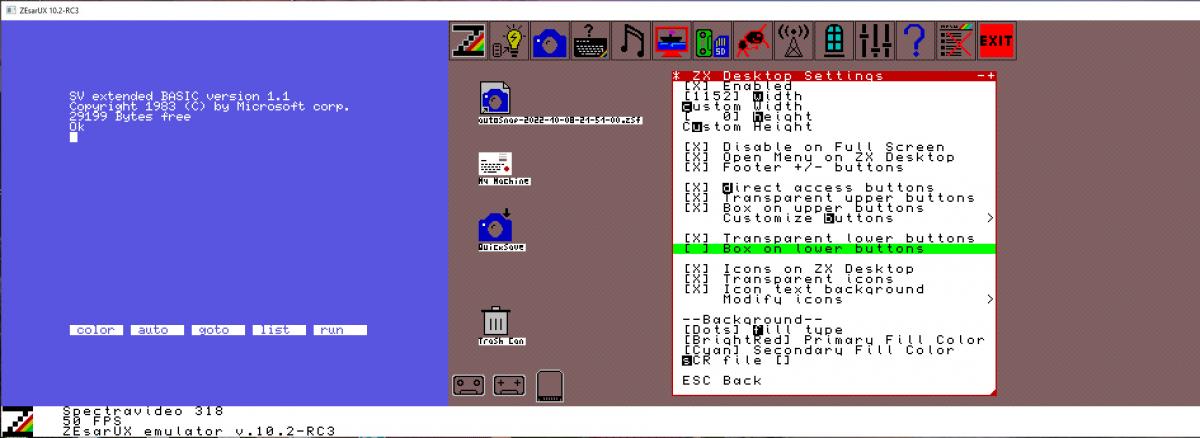
Całkiem fajny desktop nowego ZEsaurUX - w samą porę, emulator do prostych nie należy a mnogość opcji konfiguracyjnych naprawdę przeraża.
ZEsarUX-10.2 Version 10.2-RC3 - Hysteria edition. 07 October 2022
New things added:
- Added new emulated machines:
- ZX Spectrum 48k+
- Microdigital TK80
- Microdigital TK82
- Microdigital TK82C
- Microdigital TK83
- Microdigital TK85
- Microdigital TK95 Spanish
- Timex Computer 2048
- Timex Computer 2068
- Timex Sinclair 1000
- Timex Sinclair 1500
- Added Copy Interfaces emulation:
- Defcon
- Dinamid3
- Hilow Barbanegra
- Interface007
- Microhobby Pokeador Automatico
- Phoenix
- Ramjet
- Spec-Mate
- Transtape
- Added Dinamic SD1 emulation
- Allow .Z80 corrupted snapshot loading from ZXSP emulator with additional header of 31 byte size
- Added ZSF support for Timex TS2068, MK14, Chrome, Prism, Chloe, Sam Coupe
- Added path setting where to download files from the speccy and zx81 online browser
- Added disk image browsing from storage MMC/IDE menus
- Added PZX load support as standard tape
- Added TAP to PZX converter
- Added TAP to TZX turbo converter (TZX Turbo 4000 bauds, to use with Rodolfo Guerra ROMS)
- Added TAP to SCR converter
- Added some actions than can be fired from command line and don't start ZEsarUX: --convert-tap-tzx, --convert-tap-tzx-turbo-rg, --convert-tap-pzx, --convert-tap-scr, --convert-tzx-tap, --convert-pzx-tap
Improvements:
- Improved Z88 emulation:
- Changed colour palette to better match a real Z88
- Show keys shortcuts below the Z88 display
- Snapshot setting & menu action to synchronize Z88 clock with your computer clock
- Inserting Z88 cards: now it does not hang the emulator during the insert
- Selecting Z88 cards: submenus for types and sizes
- Z88 footer: show when writing a card in slot 3, colors follow style
- Z88 device icons: different icons for slot 1,2,3, show when writing a card in slot 3, show when flap is open
- Improved File selector:
- Allow to have a full screen preview if window is big enough
- Better hotkeys explanation
- Improved Debugging:
- Allow to change memory pointer to a value from the stack
- Added a setting to show on which scanline has been executed a Halt, inverting border color
- When enabling step mode, emulation is paused on all menus
- Preserve step mode when exiting debug cpu that was opened by a breakpoint
- When a breakpoint is fired, step mode is kept on all menus
- Breakpoints actions "call", "printc", "set-register" and "write" can now use expressions instead of fixed values
- Added breakpoint actions: "disassemble", "printregs"
- Warn on footer when step mode
- Enlarge width of breakpoints list
- Improved SmartLoad & Drag-Drop:
- Allow to load a .rom file as a custom rom file for the current machine
- Allow to Drag-Drop when menu open
- Improved ZX Vision:
- Reorder windows when changing machine but only when ZEsarUX window is smaller than previous one
- Custom arrows characters
- Windows are now restored by default on starting ZEsarUX
- Better resize & reposition for new windows out of range
- Improved ZX Desktop:
- Added configurable icons to the ZX Desktop: icons to windows, icons to actions, file links
- Right mouse button is now used for secondary actions. It no longer simulates ESC key (unless you enable it on ZX Vision Settings)
- Allow to extend ZX Desktop vertically
- Added frame around emulated machine
- Added setting to mix scr image with background
- Allow to set any tape/snapshot/disk that contains a spectrum screen (SCR) as background
- Apply frameskip when drawing ZX Desktop Background
- Improved HiLow DataDrive emulation:
- Allow to Format, Browse and Chkdsk a Hilow DataDrive image (.ddh file)
- Allow to convert audio from a real Hilow DataDrive tape to an image file (.ddh)
- Added technical documentation on the extras package
- Improved ZX Spectrum Next emulation: added sprite rendering priority bit
- Improved ZRCP: allow to change command prompt
- Improved generated TZX and PZX files: include date and ZEsarUX version in header
- Improved Custom machine menu: added +2E MMC machine
- Improved Tape browser: show autostart line on basic blocks
Fixes:
- Fixed handling files larger than 2 GB on 32 bit CPU (it also applies to the Windows version even on a 64 bit CPU)
- Fixed using mmc images larger than 2 GB
- Fixed redrawing ZX Desktop when resizing main ZEsarUX window
- Fixed hang when using View Variables and memory is corrupted
- Fixed hang pressing two times F-key assigned to Pause (Mac OS unaffected)
- Fixed bug that may crash ZEsarUX when starting machine ZX Spectrum +2 Spanish. This is a bug that has always existed
- Fixed losing inserted Z88 cards when changing cpu speed
- Fixed Z80 behavior after EI or DD/FD prefixes and interrupts
- Fixed Z80 behavior running block opcodes (LDIR, etc) and interrupts
- Fixed .Z80 Timex TS2068 snapshot loading
- Fixed showing Recent Files when file name contains character %
- Fixed HiLow DataDrive emulation: can now load, save, format... all actions are now working
- Fixed crash (stack smashing detected) when showing Debug CPU window (and compiled using -fstack-protector)
- Fixed segfault when starting ZEsarUX + disabled welcome splash message + enabled reopen windows on start setting + no window to restore
- Fixed trap print numbers on Spectrum and ZX81 (setting --chardetectcompatnum)
- Fixed segfault when selecting an invalid file type on real tape
- Fixed Keyboard Help image for Spectravideo 318
- Fixed allowed machines when saving snapshots .ZX
- Fixed Breakpoints actions: now are executed everywhere (even in the menu)
- Fixed pressing key c (continuous mode) on debug cpu (emulation was unpaused temporarily)
- Fixed TZX turbo files extract (including screen previews), convert & file info
- Fixed .Z80 and .ZSF screen previews when using 128k screen page 7
- Fixed .DSK extract
- Fixed crash when saving .ZSF snapshots when a byte DD is found just before a byte is repeated more than 256 times
- Fixed Next MMC images download. Now you need SSL enabled on compilation
Fixed ZX Vision:
- Fixed showing cursor on edit fields and text length longer than visible
As always, there are some other minor bugfixes and improvements
ZEsarUX Version 10.2-RC2 - Hysteria edition. 24 August 2022
- Added new emulated machines:
- Microdigital TK80
- Microdigital TK82
- Microdigital TK82C
- Microdigital TK83
- Microdigital TK85
- Microdigital TK95 Spanish
- Timex Sinclair 1000
- Timex Sinclair 1500
- Added Hilow Barbanegra emulation
- Added Transtape emulation
- Added Microhobby Pokeador Automatico emulation
- Added path setting where to download files from the speccy and zx81 online browser
- Improved Z88 emulation:
- Changed colour palette to better match a real Z88
- Show keys shortcuts below the Z88 display
- Snapshot setting & menu action to synchronize Z88 clock
- Inserting Z88 cards: now it does not hang the emulator during the insert
- Selecting Z88 cards: submenus for types and sizes
- Z88 footer: show when writing a card in slot 3, colors follow style
- Z88 device icons: different icons for slot 1,2,3, show when writing a card in slot 3
- Improved ZX Spectrum Next emulation:
- added sprite rendering priority bit
- Improved ZRCP: allow to change command prompt
- Improved generated TZX and PZX files: include date and ZEsarUX version in header
- Improved Custom machine menu: added +2E MMC machine
- Fixed using mmc images larger than 2 GB
- Fixed redrawing ZX Desktop when resizing window
- Fixed hang when using View Variables and memory corrupted
- Fixed hang pressing two times F-key assigned to Pause (Mac OS unaffected)
- Fixed bug that may crash ZEsarUX when starting machine ZX Spectrum +2 Spanish. This is a bug that has always existed
- Fixed losing inserted Z88 cards when changing cpu speed
- Fixed handling files larger than 2 GB on 32 bit CPU (it does apply to the Windows version even on a 64 bit CPU)
ZEsarUX-10.2 Version 10.2-RC1 - Hysteria edition. 22 July 2022
- Allow .Z80 corrupted snapshot loading from ZXSP emulator with additional header of 31 byte size
- Added ZSF support for Timex TS2068
- Added setting for path where to download files from the speccy and zx81 online browser
- Added machine Spectrum 48k+
- Added machine Timex TC2048
- Added machine Timex TC2068
- Added disk image browsing from storage MMC/IDE menus
- Added PZX load support as standard tape
- Added TAP to PZX converter
- Added TAP to TZX turbo converter (TZX Turbo 4000 bauds, to use with Rodolfo Guerra ROMS)
- Added some actions than can be fired from command line and don't start ZEsarUX: -convert-tap-tzx, --convert-tap-tzx-turbo-rg, --convert-tap-pzx, --convert-tzx-tap, --convert-pzx-tap
- Improved ZX Spectrum Next emulation: added sprite rendering priority bit
- Improved ZRCP: allow to change command prompt
- Improved generated TZX and PZX files: include date and ZEsarUX version in header
- Improved File selector:
- Allow to have a full screen preview if window is big enough
- Better legend key explanation
- Improved Debugging:
- Added a setting to show on which scanline has been executed a Halt, inverting border color
- When enabling step mode, emulation is paused on all menus
- Preserve step mode when exiting debug cpu that was opened by breakpoint
- When a breakpoint is fired, step mode is kept on all menus
- Breakpoints actions "call", "printc", "set-register" and "write" can now use expressions instead of fixed values
- Added breakpoint actions: "disassemble", "printregs"
- Warn on footer when step mode
- Enlarge width of breakpoints list
- Improved SmartLoad & Drag-Drop:
- Allow to load a .rom file as a custom rom file for the current machine
- Allow to Drag-Drop when menu open
- Improved ZX Vision:
- Reorder windows when changing machine but only when ZEsarUX window is smaller than previous one
- Custom arrows characters
- Windows are now restored by default on starting ZEsarUX
- Improved ZX Desktop:
- Added configurable icons to the ZX Desktop: icons to windows, icons to actions, file links
- Right mouse button is used now for secondary actions. It no longer simulates ESC key (unless you enable it on ZX Vision Settings)
- Allow to extend ZX Desktop vertically
- Added frame around emulated machine
- Added setting to mix scr image with background
- Improved HiLow DataDrive emulation:
- Allow to Format, Browse and Chkdsk an Hilow DataDrive image (.ddh file)
- Allow to convert audio from a real Hilow DataDrive tape to an image file (.ddh)
- Added technical documentation on the extras package
- Fixed bug that may crash ZEsarUX when starting machine ZX Spectrum +2 Spanish. This is a bug that has always existed.
- Fixed Z80 behavior after EI or DD/FD prefixes and interrupts
- Fixed Z80 behavior running block opcodes (LDIR, etc) and interrupts
- Fixed .Z80 Timex TS2068 snapshot loading
- Fixed showing Recent Files when file name contains character %
- Fixed HiLow DataDrive emulation
- Fixed crash (stack smashing detected) when showing Debug CPU window (and compiled using -fstack-protector)
- Fixed segfault when starting ZEsarUX + disabled welcome splash message + enabled reopen windows on start setting + no window to restore
- Fixed trap print numbers on Spectrum and ZX81 (setting --chardetectcompatnum)
- Fixed segfault when selecting an invalid file type on real tape
- Fixed Keyboard Help image for Spectravideo 318
- Fixed allowed machines when saving snapshots .ZX
- Fixed Breakpoints actions: now are executed everywhere (even in the menu)
- Fixed pressing key c (continuous mode) on debug cpu (emulation was unpaused temporarily)
- Fixed TZX turbo files extract (including screen previews), convert & file info
- Fixed .Z80 and .ZSF screen previews when using 128k screen page 7
- Fixed .DSK extract
- Fixed crash when saving .ZSF snapshots when a byte DD is found just before a byte is repeated more than 256 times
- Fixed ZX Vision:
- Fixed showing cursor on edit fields and text length longer than visible
- Some other minor bugfixes and improvements
→ NOWSZY [zx][beta] ZEsarUX 10.1 RC1 Carrier Command edition
Version 10.1-RC1 - Carrier Command edition. 28 March 2022
Differences from Beta 2:
- Added joystick support for Hat controllers
- Added new joystick event to exit ZEsarUX
- Added action to trigger left-right movement on joystick, to play Decathlon-like games
- Added MSX Joystick emulation
- Added Spectravideo Joystick emulation
- Added setting to select a different joystick on Windows and OS with SDL driver
- Added Autorewind tape setting
- Added Z80 Halt signal state support on zsf snapshot
- Added device button for ZX-Uno Flash device
Improved Text Adventure Debugging:
- Added Text Adventure Map
- Added Locations Connections list
- Added direct menu entry and f-function/button to view 8 (adventure debug)
- Improved detection of some paws adventures (like superlopez and abracadabra)
- Improved detection of some daad adventures (like jabato)
Improved Debug CPU:
- New address breakpoint expression FPEEK, that can read contents in the range of the total machine address space
- Added breakpoints actions to start and stop cpu transaction log
Improved ZX Vision:
- Reduced up to 5 times cpu usage on menu by using a cache
- Improve window refreshing by disabling autoframeskip while moving or resizing
- Enlarge content size when resizing window without having to recreate it
- Notify to the parent function when a window has been resized
- Allow to avoid refreshing window when changing scroll
- Added GUI styles: AmigaOS, Atari TOS, OS/2, RiscOS, ZEsarUX Plus (and this one is now the default style)
- Detect when video driver can not use the current GUI style and set to another one that can use
- Added maximize window button
- Background button on inactive windows is hidden by default
- Bigger window resize indicator (bottom-right of the window)
- When sending a window to the background, and the setting "Background windows even when menu closed", the menu will be closed
- Improve accented characters on different charsets
- Added translation of menu items to Spanish and Catalan
- Added shortcuts helper to see hotkeys pressed
- Added button preview when customizing ZX Desktop buttons or F-keys
- Show when a menu has submenus using the ">" character
- Preserve minimized and maximized state on windows
- Remember size before minimize and maximize window
- Improved OSD Keyboard: allow to use mouse, preserve window geometry
- Improved Keyboard Help: load image automatically when changing machine
- Improved fbdev driver: added setting for double buffer to avoid flickering on menu (--fbdev-double-buffer)
- Improved fbdev driver: added setting to avoid resolution change on Raspberry Pi full screen mode (--fbdev-no-res-change)
- Improved ZX Spectrum Next emulation: added layer2 priority colour bit
- Fixed showing character 127 on curses, stdout and simpletext video drivers
- Fixed segfault pressing F5 after pressing pause key
Fixed ZX Vision:
- Fixed glitches resizing some windows: AY Registers, Debug CPU, etc...
- Fixed flickering when resizing Keyboard Help window
- Fixed reducing all windows
- Fixed bug restoring windows on startup when a previous error was generated
- Fixed drawing scroll bars when window is not at the top of all windows
- Fixed drawing close button on background windows
- Fixed showing input tape insert state on menu and zx desktop icon when tape can't be opened
- Fixed refreshing Visual Real Tape window when Top Speed condition
Some other minor bugfixes and improvements
Version 10.1 Beta 2 - Carrier Command edition. 18 February 2022
- Added real joystick support on Mac
- Added setting to change ULA Data bus value
- Added showing microdrive label when expanding qlay mdv files of size 174930 bytes
- Added action to trigger left-right movement on joystick, to play Decathlon-like games
- Added new joystick event to exit ZEsarUX
- Added Jupiter Ace TAP & TZX support on tape browser
- Added TZX support for ID 33 - Hardware type
- Added Z80 Halt signal state support on zsf snapshot
- Added MSX Joystick emulation
- Added Spectravideo Joystick emulation
- Added another easter egg ;)
Improved Text Adventure Debugging:
- added locations Map
- added connections list
Improved Debug CPU:
- now it highlights which registers will be modified by the opcode at the cursor position
- added t-states counter on default view
- allow to have a decimal view of opcode decoding using key m (mode)
Improved Accessibility:
- added direct settings for inverse colours and gray mode
- added setting to disable Flash
Improved ZX Vision:
- Added maximize window button
- Background button on inactive windows is hidden by default
- Added GUI styles: AmigaOS, Atari TOS, OS/2, RiscOS, ZEsarUX Plus
- Improve RetroMac GUI style: striped title bar
- Improve BeOS GUI style: buttons positions right after the title
- Added translation of menu items to Spanish
- Text windows enlarge/reduce line width when resizing windows
- Text windows wider by default (40 characters instead of 32)
- Added button preview when customizing ZX Desktop buttons
- Better detection of any file size of 6912 bytes is guessed as Spectrum screen
- Show when a menu has submenus using the ">" character
- Preserve minimized state on windows
- Remember size before minimize window
- Bigger window resize indicator (bottom-right of the window)
- Enlarge content size when resizing window without having to recreate it
- ZX Desktop: footer buttons to enlarge or reduce ZX Desktop, not just enabling or disabling
- ZX Desktop: allow to set a background SCR file
- ZX Desktop: added setting to disable ZX Desktop when going to full screen
- Improved OSD Adventure Keyboard: allow to send space, enter and quotation marks
- Improved handling of individual colour palettes modifications (Red, Green, Blue)
- Improved portability of shell scripts
- Fixed Z80 halt behavior and PC location
- Fixed disabling border when realvideo enabled on machines: Colecovision, Master System, MSX, SG1000, SpectraVideo
- Fixed drawing close button on background windows
- Fixed redrawing footer when fade out
- Fixed bug restoring windows on startup when a previous error was generated
- Fixed refreshing Visual Real Tape window when Top Speed condition
- Fixed preserve breakpoints state when doing smartload
- Fixed saving snapshot on some events that close ZEsarUX (F-key, AY Player, etc)
- Fixed loading/saving TZX as Standard tape on Jupiter Ace
- Fixed segfault pressing F5 after pressing pause key
- Fixed showing input tape insert state on menu and zx desktop icon when tape can't be opened
- Fixed ejecting Spectravideo cartridge
- Fixed bug on OSD Adventure Keyboard when words of 5 characters lenght and setting sending final space enabled
- Fixed crash when saving configuration file larger than 20kb
Fixed ZX Vision:
- fixed hang when pressing cursor up/down on any tabbed menu with only one line (like Audio Waveform)
- fixed gitches resizing some windows: AY Registers, Debug CPU, etc...
- fixed window Hex Editor while moving or resizing
- fixed reducing all windows
Some other minor bugfixes and improvements
Version 10.1 Beta 1 - Carrier Command edition. 13 December 2021
- Added setting to change ULA Data bus value
- Added showing microdrive label when expanding qlay mdv files of size 174930 bytes
- Added action to trigger left-right movement on joystick, to play Decathlon-like games
- Added another easter egg ;)
- Improved portability of shell scripts
- Improved Debug CPU:
- now it highlights which registers will be modified by the opcode at the cursor position
- added t-states counter on default view
- Improved ZX Vision:
- ZX Desktop: allow to set a background SCR file
- ZX Desktop: added setting to disable ZX Desktop when going to full screen
- Better detection of any file size of 6912 bytes is guessed as Spectrum screen
- Added AmigaOS GUI style
- Added Atari TOS GUI style
- Improve RetroMac GUI style: striped title bar
- Improve BeOS GUI style: buttons positions right after the title
- Improved Accessibility: added direct settings for inverse colours and gray mode
- Improved handling of individual colour palettes modifications (Red, Green, Blue)
- Fixed disabling border when realvideo enabled on machines: Colecovision, Master System, MSX, SG1000, SpectraVideo
- Fixed segfault pressing F5 after pressing pause key
- Fixed preserve breakpoints state when doing smartload
- Fixed refreshing Visual Real Tape window when Top Speed condition
- Fixed drawing close button on background windows
- Some other minor bugfixes and improvements
→ NOWSZY [zx][beta] ZEsarUX 10.0 RC Carrier Command edition
Version 10.0 Release Candidate - Carrier Command edition. 14 September 2021
There are lots of changes in this version, but some of them are remarkable:
- New machine emulated: Sega Master System
- "Time machine" features: Automatic Snapshots to RAM + Rewind feature, backwards debugging, backwards run
- Realtime translation of text adventure games in a ZEsarUX window
- Can render any image from a Speccy Text Adventure (supported parsers: Quill, Paws, Daad, Gac)
- Added Visual Real Tape. Now you can have an audio render of your tape, see tape blocks and rewind or move forward the cassette player
- Can now browse Basic variables on ZX Spectrum, ZX81 and ZX80
- Allow customize upper buttons to actions
- Added Window View Sensors to graph internal emulation sensors, performance, statistics, etc
- Added menu language selection between default (English) and Spanish. Only some texts are translated to Spanish
The full changelog for this version 10.0 is:
- Added Sega Master System emulation
- Added .sms file viewer
- Added midi output and .mid support for QL and SN audio chips (Master System, SG1000, etc)
- Added Automatic Snapshots to RAM + Rewind feature
- Added new improved real tape loading algorithm
- Added setting to disable TZX pauses
- Added zsf to scr support for Next, ZX-Uno and TSConf snapshots
- Added Jupiter Ace 51 KB RAM emulation
- Added GUI styles: BeOS, Bloody, Grass, Ocean, Sunny, Panther, Sky
- Added Fuzix ide image on the zesarux-extras package
- Added ZSF snapshot support for Jupiter Ace, Z88
- Added --slotcard-num setting to insert a Z88 card in a numbered slot (1, 2 or 3)
- Added ZRCP command mmc-reload to reload MMC image
- Added ZEsarUX logo on the window footer
- Added setting to disable ZX80/81 tape traps
- Added wav/rwa/smp tape audio browser, to view Spectrum/ZX80/ZX81 tape blocks from audio file
- Added Visual Real Tape. Now you can have an audio render of your tape, see tape blocks and rewind or move forward the cassette player
- Added menu language selection between default (English) and Spanish. Only some texts are translated to Spanish
- Added file converters:
- wav/rwa/smp to tap
- wav/rwa/smp to p
- wav/rwa/smp to o
- rwa to wav
- Improved Debug CPU Window:
- Added backwards debugging, backwards run
- Added cpu history menu to see registers in the past (same as you already had on ZRCP)
- Mouse accions: click (toggle breakpoint, change registers), scrolling up/down by using the mouse wheel
- Improve window refresh when pressing keys on non-step mode
- Preserve step mode when assembling
- Added new key to set PC=PTR
- Added new key to go to next breakpoint type PC=dir
- Allow to define up to 100 breakpoints (same that you could define using ZRCP)
- Improved Debugging:
- Can now browse Basic variables on ZX Spectrum, ZX81 and ZX80
- Added setting to show location address of every basic line on menu View Basic
- Added Window View Sensors to graph internal emulation sensors, performance, statistics, etc
- Added command line setting to load source code
- Improved ZX Vision menu interface:
- Machine manufacturer list is now sorted by name (instead of some kind of mixed age and type)
- Real tape icon now is animated when playing tape
- Added actions for reinsert, rewind, ffwd real tape
- Reorganized GUI Settings and Window Settings menu: "GUI Settings" menu is now called "ZX Vision Settings", "Window Settings" menu is now called "General settings"
- Allow customize upper buttons to actions
- Added setting to pause cpu emulation on menu when multitask active
- Added Degraded ZX Desktop Fill Type
- Added button on footer to switch ZX Desktop
- Added Accessibility->GUI settings as a quick way to enable some GUI enhancements: high contrast style, hotkeys, etc
- Show in file selector when a file can be expanded
- Improved screen file previews: any file size of 6912 bytes is guessed as Spectrum screen
- Maximizing windows now take care of size of ZX Desktop, when setting "Open menu on ZX Desktop" is enabled
- Handle when pressing a window when menu closed
- Added item to reduce+rearrange windows
- Added some graphical meters on AY Registers, Core Statistics
- Colour palette window now shows all colours that fit in the window
- View sprite legend now adapts to size
- Added setting to disable boxes around lower and upper ZX Desktop Buttons
- Added support for accentuated characters
- Improved Next emulation:
- Turbo setting: make it by default limited on NextZXOS
- ZSF snapshots include all info from port 123b (previous TBBlue .zsf snapshots are incompatible with this version, sorry!)
- Added a splash message when changing Layer 2 modes
- Improved Text Aventure Features:
- Improved detection of Daad aventures on debugging
- Now you can render any image from a Speccy Text Adventure (supported parsers: Quill, Paws, Daad, Gac)
- Now you can use a text speech script which can translate text from the game and show the translated text on ZEsarUX window
- Improved Find menu: now can find several bytes and open Hexadecimal Editor on the results list
- Improved Audio to .mid exporter: allow changing instrument
- Improved configuration file: increased maximum allowed size to 256kb and 2000 parameters
- Fixed file previews on corrupted files: pzx, tap
- Fixed rearranging windows and using total window height
- Fixed Next ULA Scroll to use registers 0x26 and 0x27
- Fixed Next tbblue port 123b behaviour: 48kb ram paging, shadow display, 3bit offset, read access
- Fixed cpu-step behaviour the first time it's executed
- Fixed cursor keys up/down on Jupiter Ace
- Fixed --help and --experthelp settings: do not parse configuration file when showing help
- Fixed autoload on spectrum 48k+ spanish
- Fixed loading ZX80/81 Snapshots/Tapes when filename has more than one extension
- Fixed wave shape type "Scroll" on View WaveForm
- Some other minor bugfixes and improvements
Vox populi
Ten artykuł nie byl jeszcze komentowany:(